Import from Apple Health
- Record an ECG with the ECG app on your Apple Watch.
- Choose whether to share ECG recordings from Apple Health.
- Open ECG Tracker+ to find the recordings in a separate, searchable library.
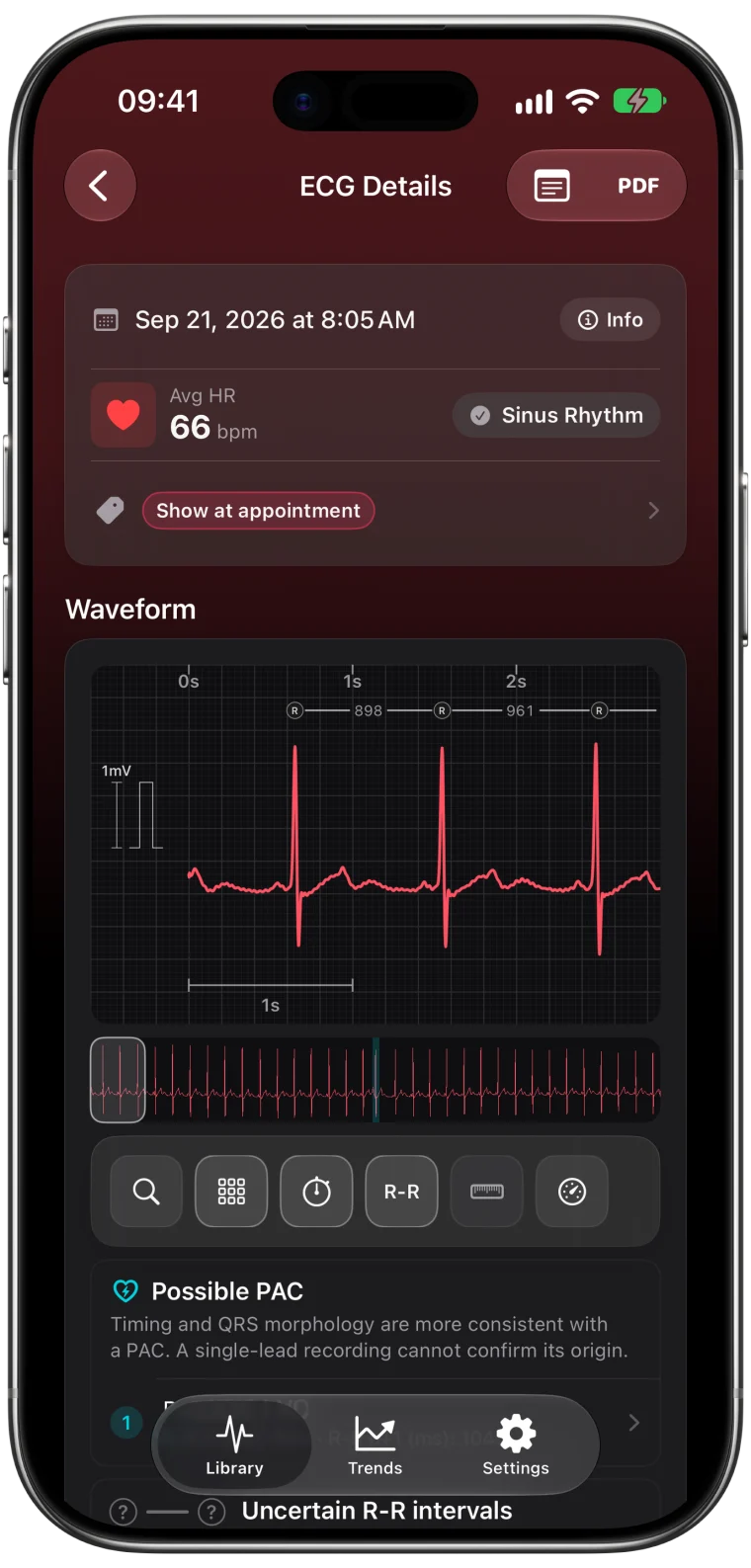
- Select a recording to review its waveform and available app-generated estimates.
ECG Tracker+ does not change the original waveform or Apple classification. Core ECG processing happens on your iPhone, and no account is required to import or analyze a recording.
Explore the full recording
Review the complete 30-second waveform, add notes and tags, compare recordings over time, and create a PDF when you want to share a clear copy.
Available details can include heart rate, interval estimates, QTc, ultra-short HRV, signal quality, beat shape, and possible premature-beat patterns.
Understand the estimates
Signal quality
The signal-quality score describes how usable the recording appears for the app’s calculations. It does not confirm that a measurement is clinically correct.
Intervals and QTc
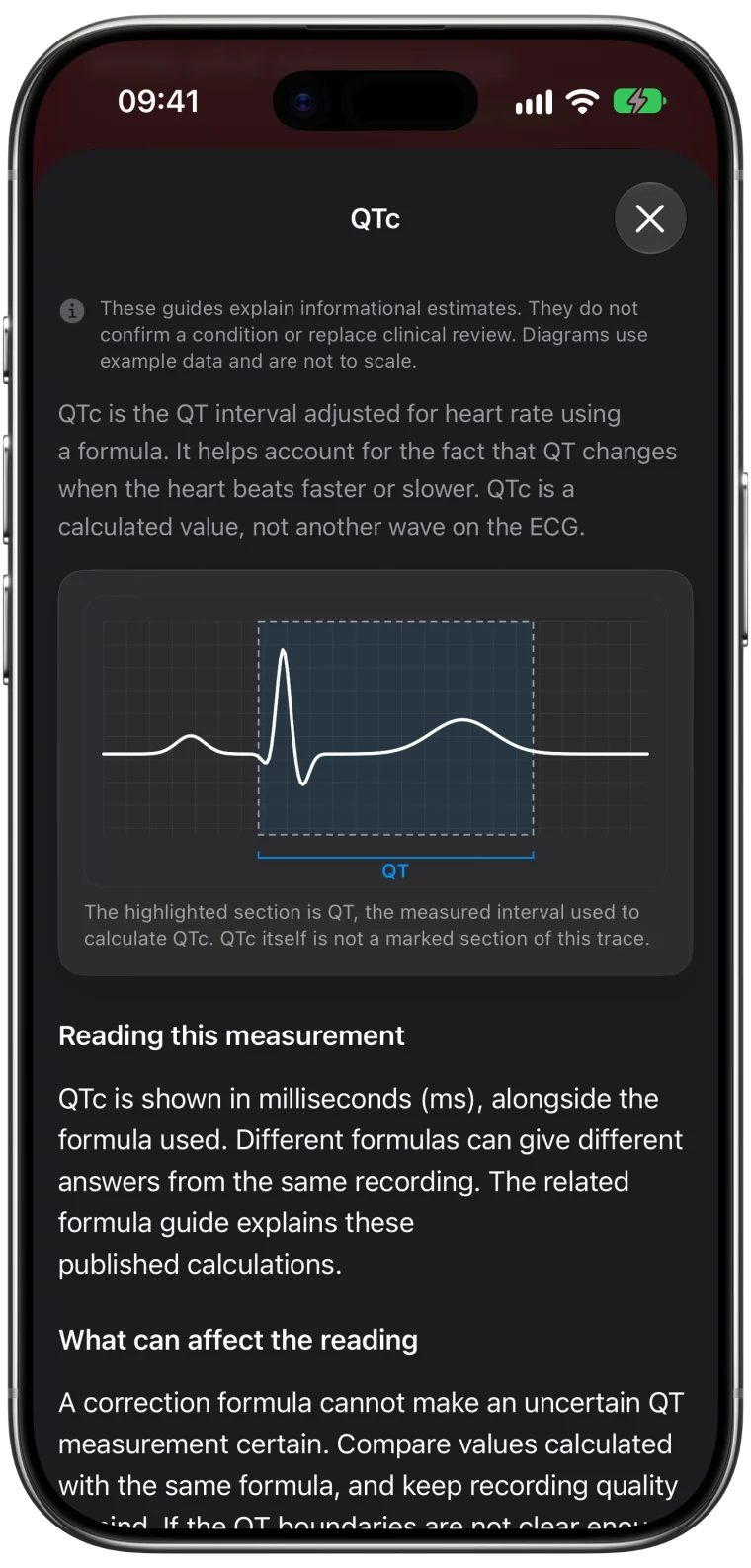
PR, QRS, QT, and QTc are app-generated estimates. QTc depends on the QT and R-R estimates plus the selected correction formula. Results from a single-lead watch recording can differ from measurements reviewed on a clinical 12-lead ECG.
HRV
rMSSD and SDNN use beat intervals from the 30-second recording. These ultra-short estimates are not interchangeable with standardized five-minute or 24-hour HRV measurements.
Possible premature-beat patterns
Possible PAC and PVC pattern flags are review cues. Noise and other rhythms can resemble these patterns. A flag does not confirm an event, and no flag does not rule one out.
Keep the limits in view
ECG Tracker+ is an informational tool, not a medical device. It does not diagnose heart conditions, confirm that a recording is normal, or replace a clinical ECG or professional evaluation.
Use trends to compare app-generated values, not to judge changes in health or risk. If a recording or symptom concerns you, discuss it with a qualified healthcare professional.
How the educational pages are prepared
ECG Tracker+ publishes its guides to explain app workflows, informational estimates, and important limits in plain language. Guides cite the Apple documentation, professional cardiology organizations, and peer-reviewed research they rely on.
Every guide shows its latest review date. Questions about a source or a correction can be sent to contact@ecgtrackerplus.com.
Example recordings
The waveform examples in the guides are drawn with the app’s own waveform view from these open research datasets:
- St Petersburg INCART 12-lead Arrhythmia Database and Lobachevsky University Database (LUDB), distributed by PhysioNet (Goldberger AL et al., Circulation 2000) under the Open Data Commons Attribution License v1.0.
- PTB-XL (Wagner P et al., Scientific Data 2020), distributed by PhysioNet under the Creative Commons Attribution 4.0 license.
- SJLIFE paired clinical and Apple Watch ECG repository (Karabayir I, Akbilgic O), Zenodo, under the Creative Commons Attribution 4.0 license.
Signals were band-pass filtered and resampled to 512 Hz before analysis.
Questions?
For product, privacy, or accessibility questions, email contact@ecgtrackerplus.com.