ECG guides
Understand your Apple Watch ECG
What a 30-second single-lead recording can show, what each measurement means, and how to get more from your recordings without turning them into a diagnosis.
Start here
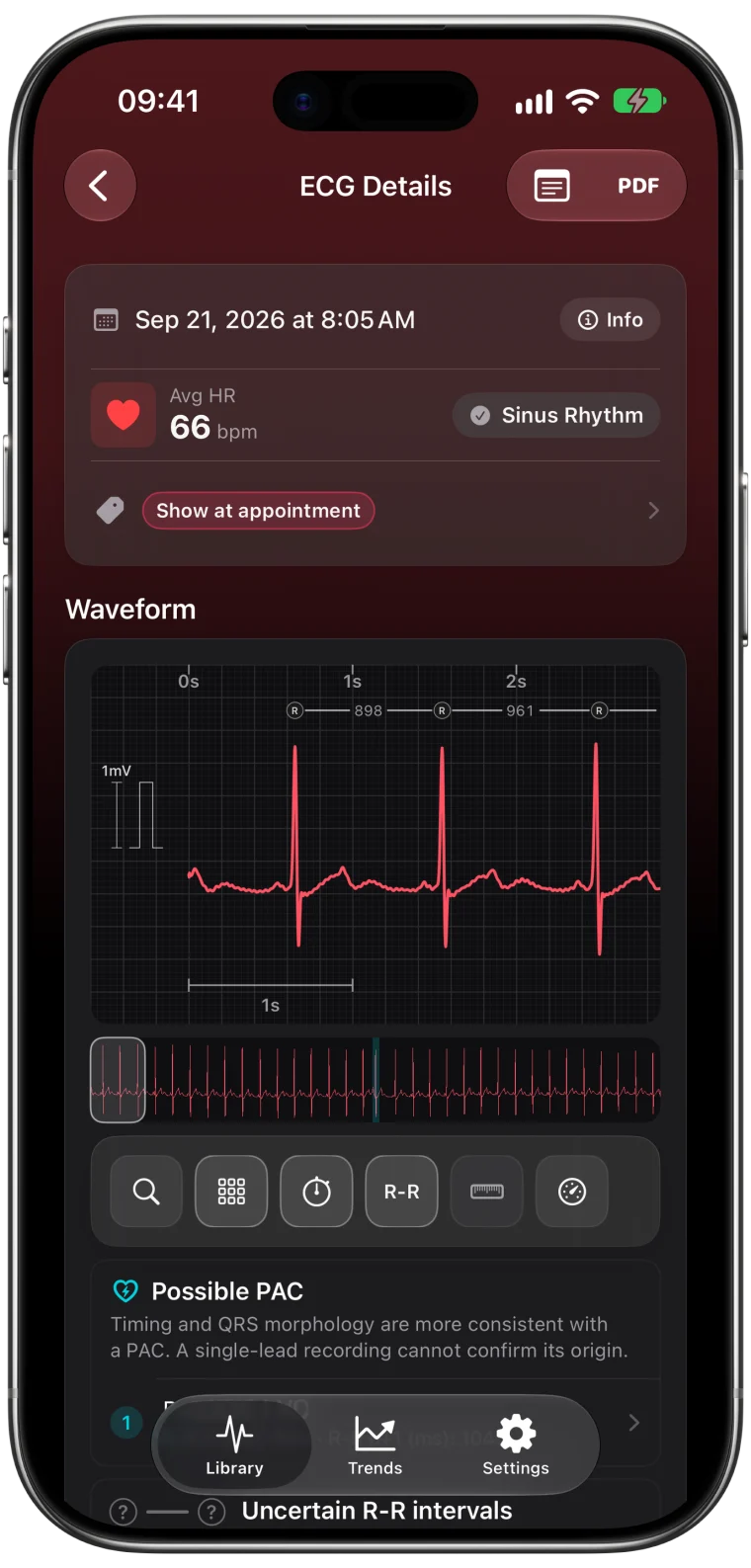 How to read an Apple Watch ECG: a practical guide to your waveform
P wave, QRS, T wave, heart rate and intervals. A step-by-step guide to your 30-second strip.
Apple Watch ECG results explained: every classification and what it meansSinus Rhythm, AFib, High or Low Heart Rate, Inconclusive and Poor Recording, explained one by one.
 Apple Watch ECG vs a 12-lead ECG: what one lead can and cannot show
One lead from your wrist vs twelve views in a clinic. What each captures and when each is used.
Apple Health vs an ECG app: what you get beyond the Apple Watch resultHealth gives you the recording and Apple's classification. An ECG app adds measurements, trends and context.
 How to choose an Apple Watch ECG app you can trust
A practical checklist for comparing ECG apps on measurements, honesty, privacy and price.
Reading your ECG
What Sinus Rhythm means on an Apple Watch ECG, and what it does notA uniform rhythm between 50 and 100 bpm in that recording. What it shows and where its limits are.
 Apple Watch ECG says Inconclusive? Why it happens and what you can still see
Heart rate, extra beats, pacemakers or signal. Why the Watch cannot classify some recordings.
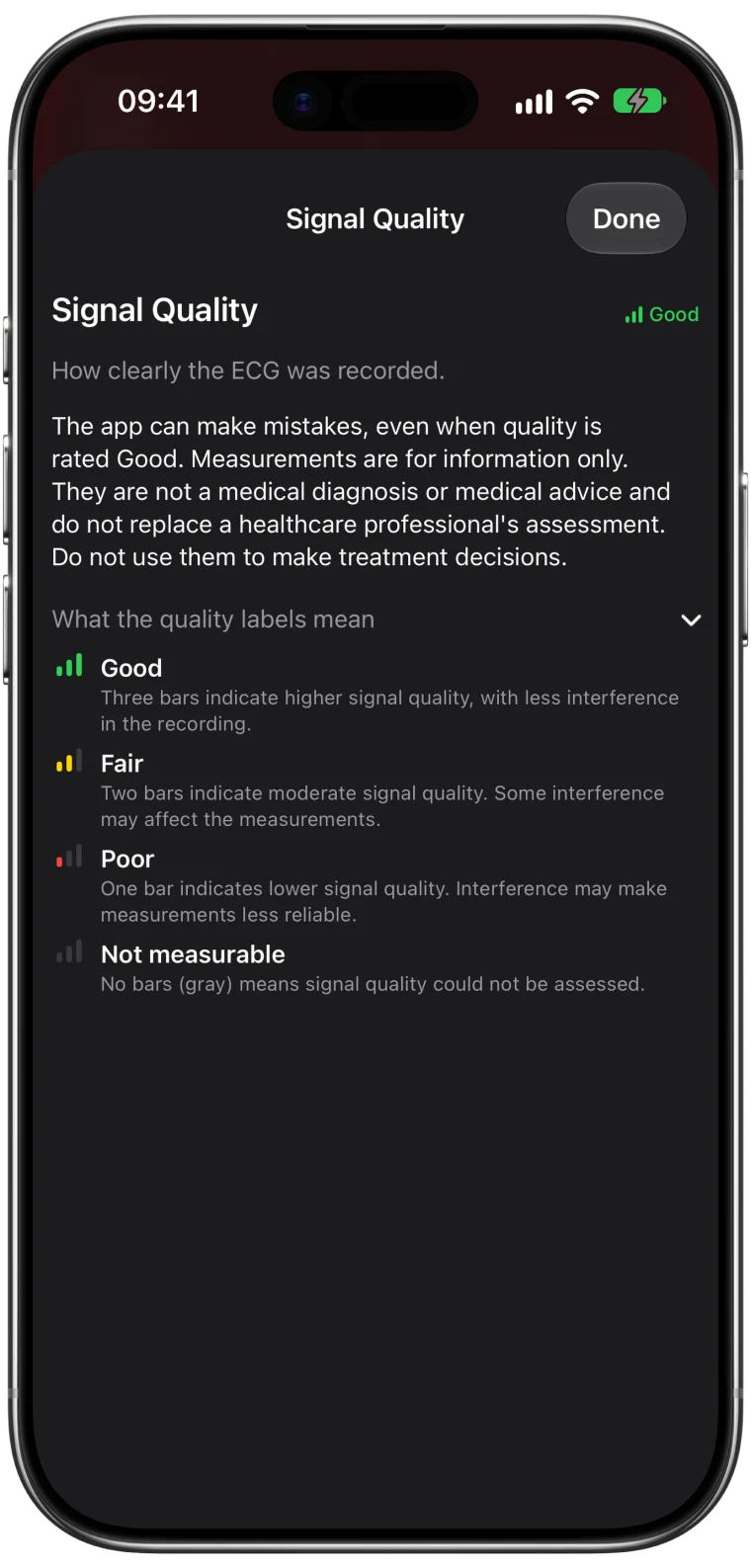 How to take a clean Apple Watch ECG, and fix Poor Recording results
Poor Recording, noise or finger not detected. Seven fixes for a cleaner recording.
Why your Apple Watch ECG looks upside down, and how to fix itUsually a wrist setting that does not match. How to check Watch Orientation and record again.
How to read the ECG grid and measure with calipersWhat each grid box means and how to measure timing yourself with calipers.
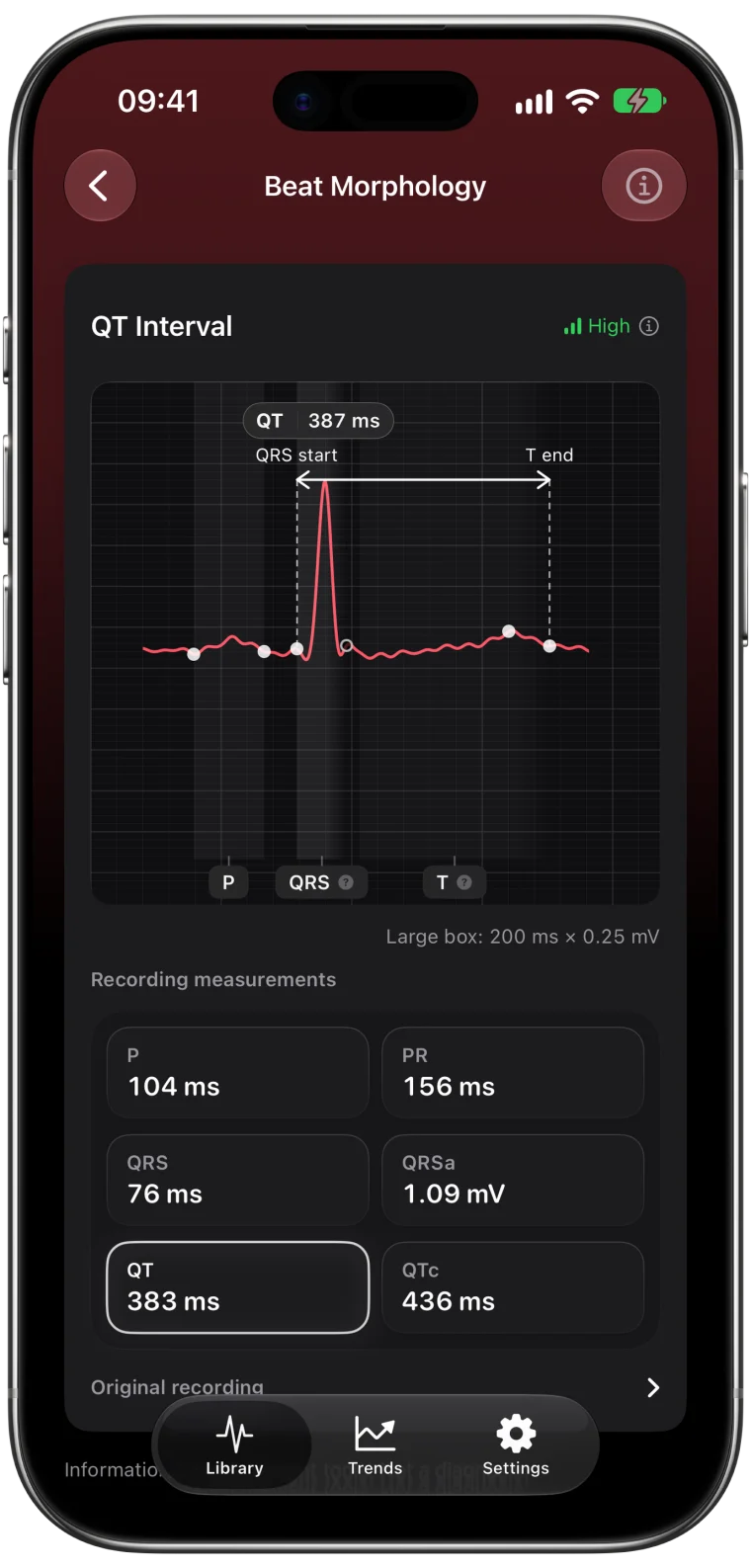 Beat Morphology: look at the shape of a single heartbeat
One heartbeat up close, with P, QRS and T markers and the intervals between them.
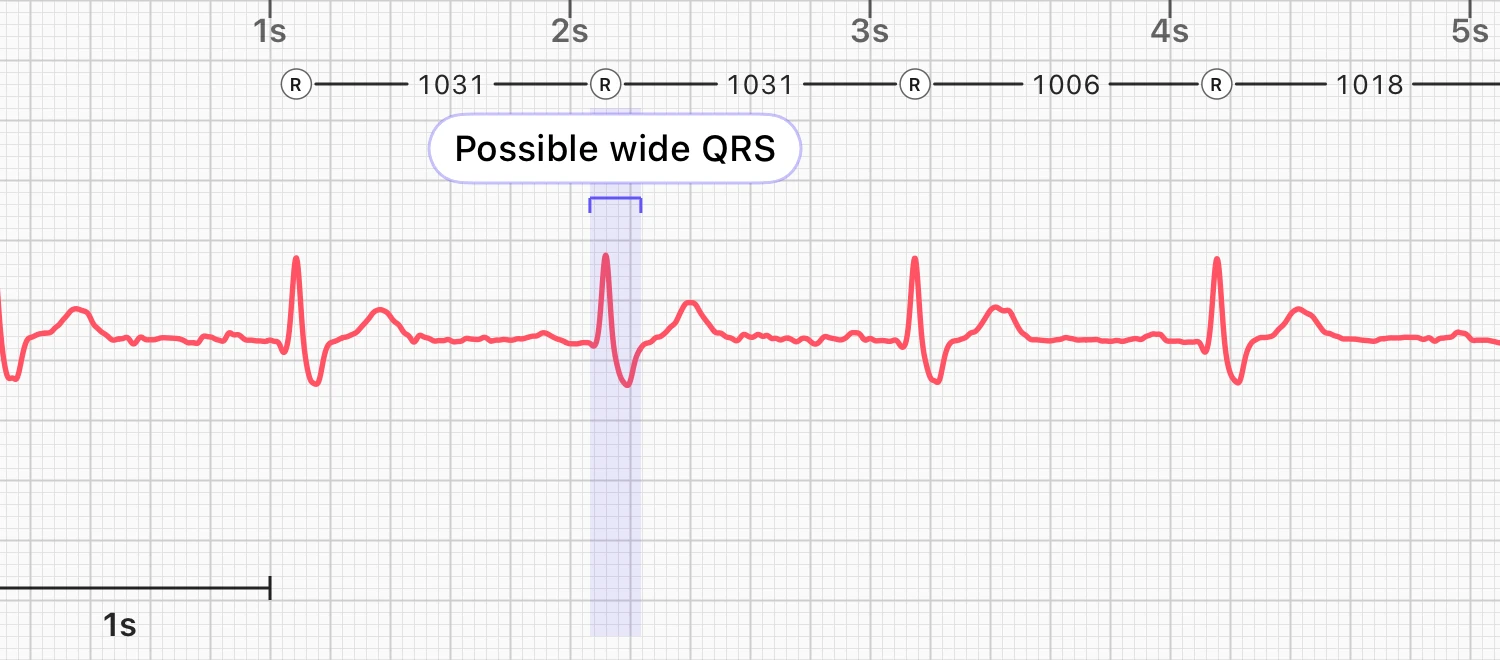 Wide QRS on an Apple Watch ECG: what a possible wide QRS means
A real single-lead example of a wide QRS, the common causes and what one lead cannot confirm.
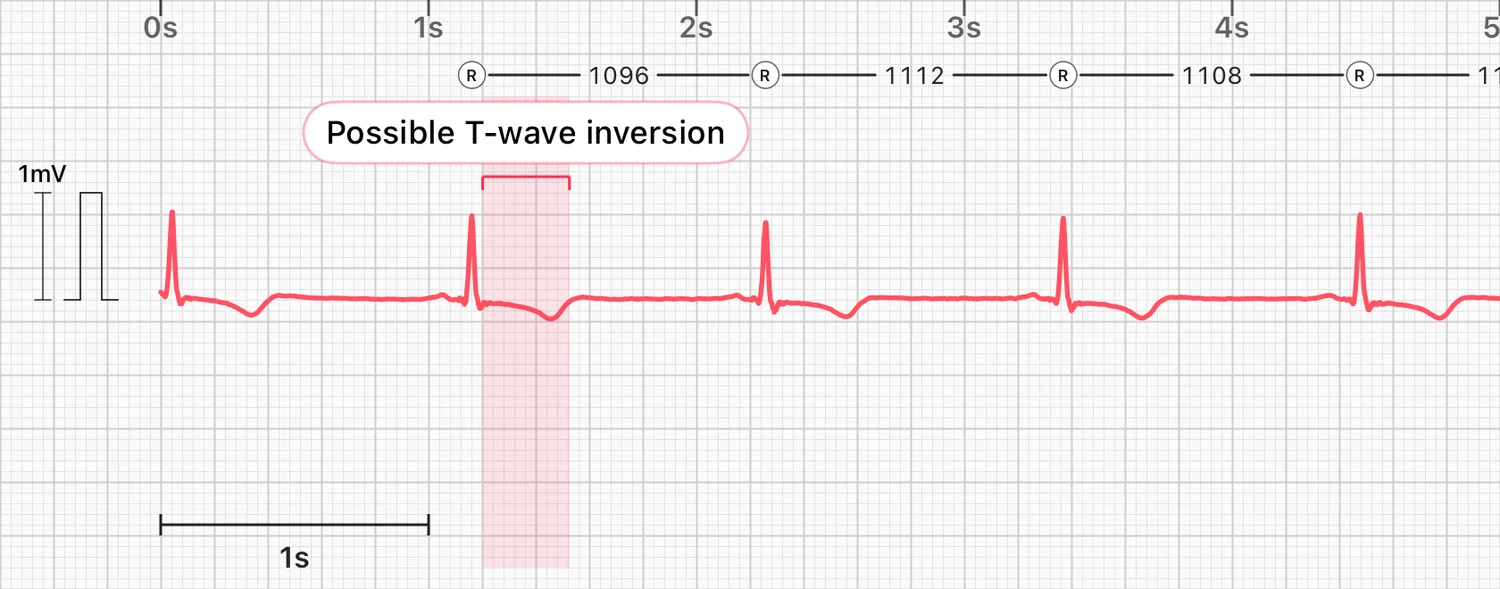 T-wave inversion on an Apple Watch ECG: when the T wave points down
A real single-lead example, what can turn the T wave over and how it differs from a flipped recording.
Measurements explained
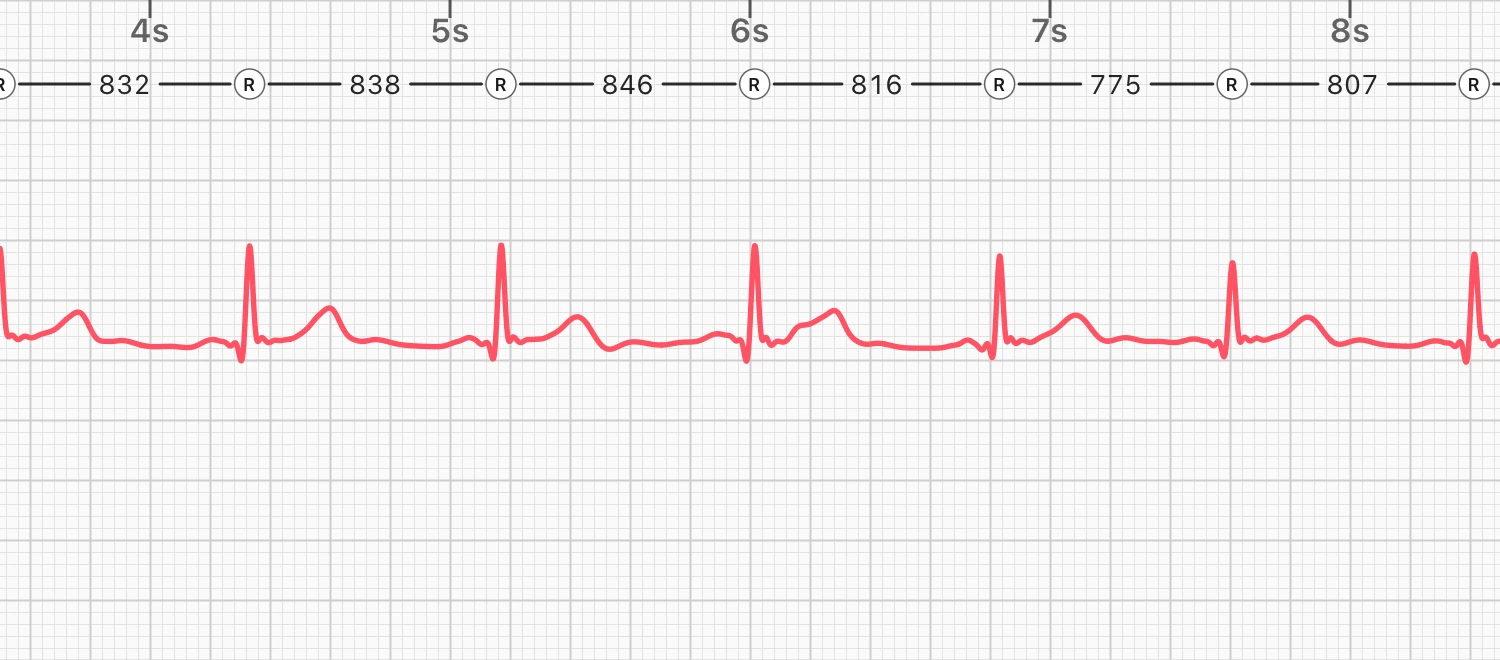 Heart rate and R-R interval on an Apple Watch ECG
A real Apple Watch recording, how R-R becomes beats per minute and what the usual ranges are.
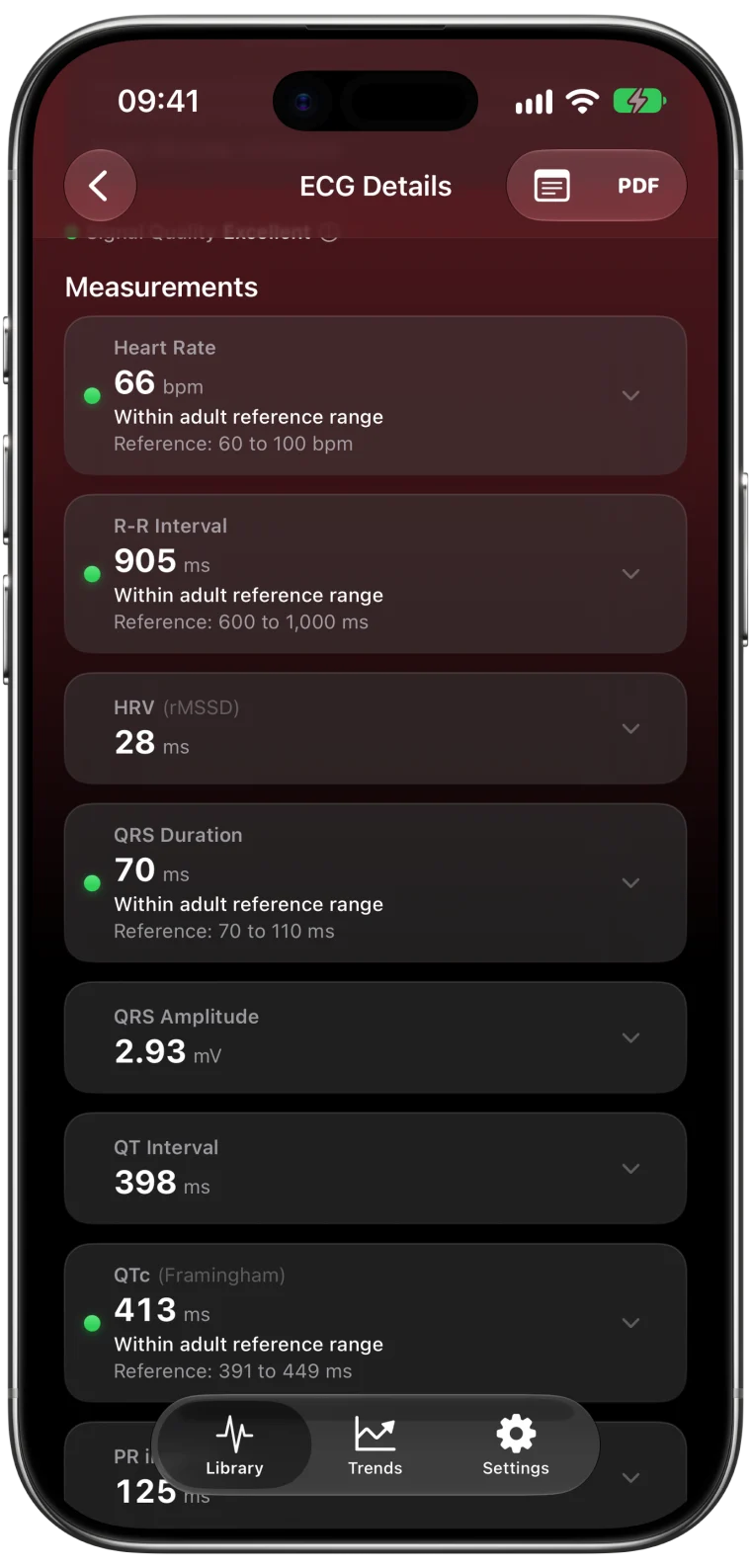
PR interval, QRS duration and QT on an Apple Watch ECG: typical ranges explainedWhat each interval measures, typical adult ranges and what a single-lead recording can show.
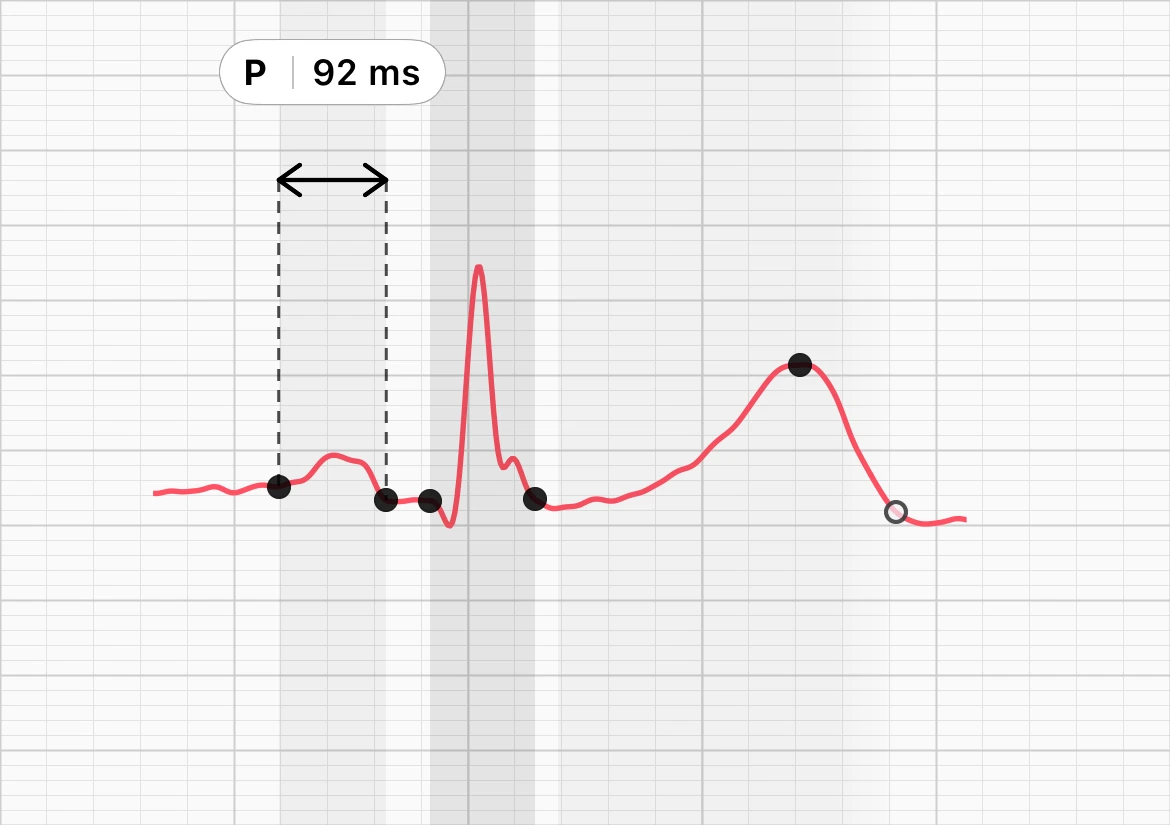 P wave on an Apple Watch ECG: what P-wave duration shows
What the small wave before each beat shows, its typical length and why it can be hard to measure.
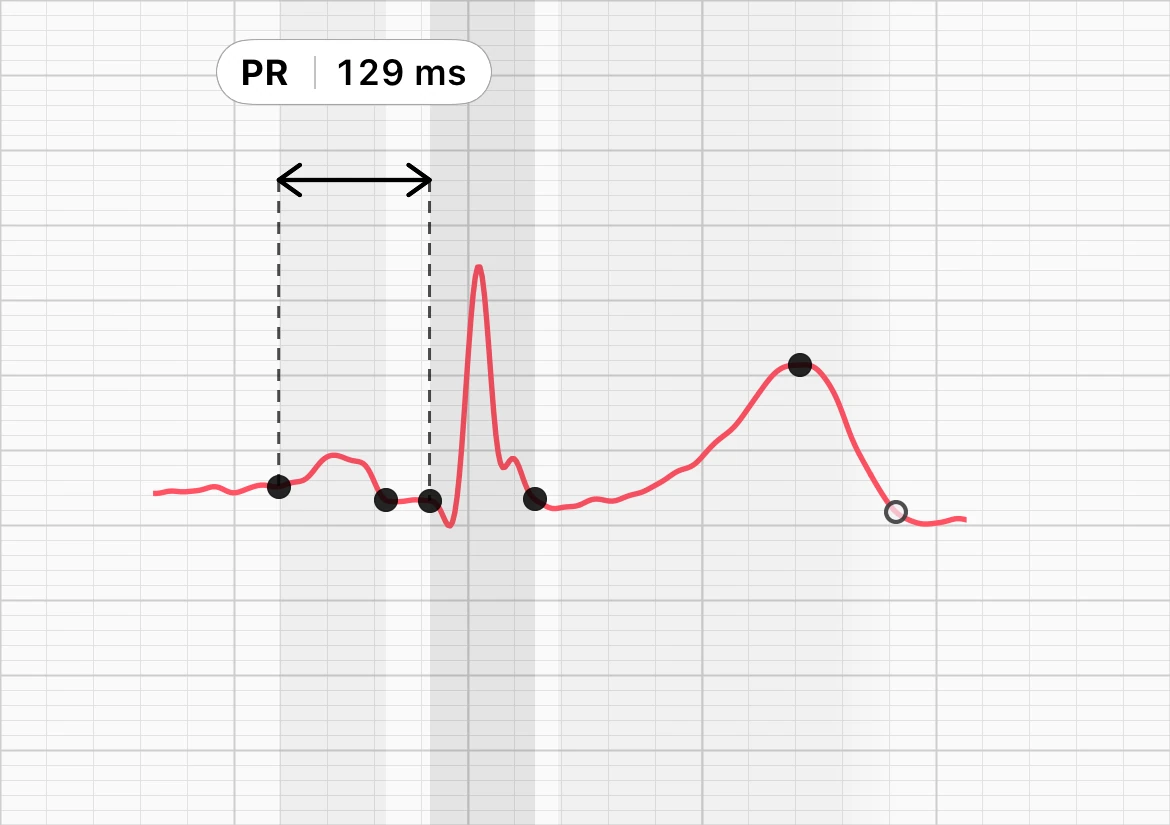 PR interval on an Apple Watch ECG: normal range and what it measures
From the start of the P wave to the start of the QRS, with typical ranges and what changes it.
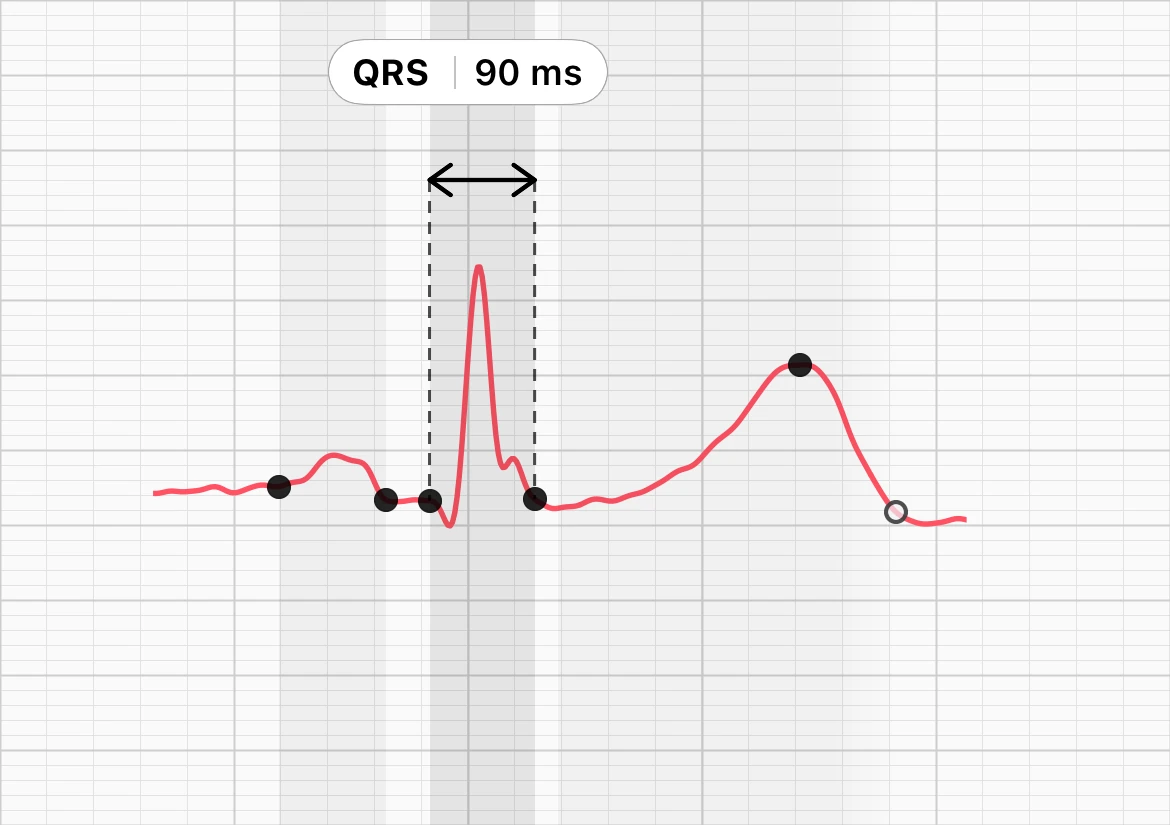 QRS duration on an Apple Watch ECG: normal range and when it is wide
How long the main spike of each beat lasts, the typical range and what a wide QRS can mean.
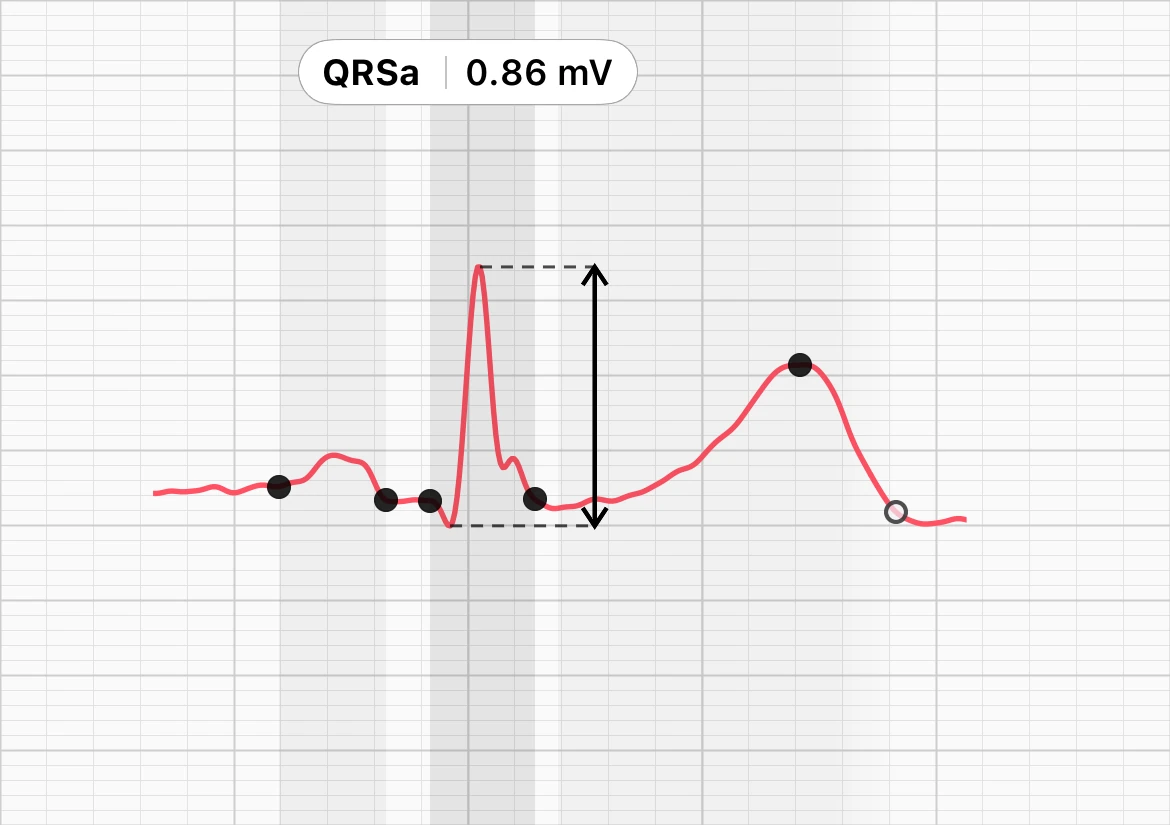 QRS amplitude on an Apple Watch ECG: what the height of each beat shows
The height of the main spike in millivolts, why it varies and what it does not measure.
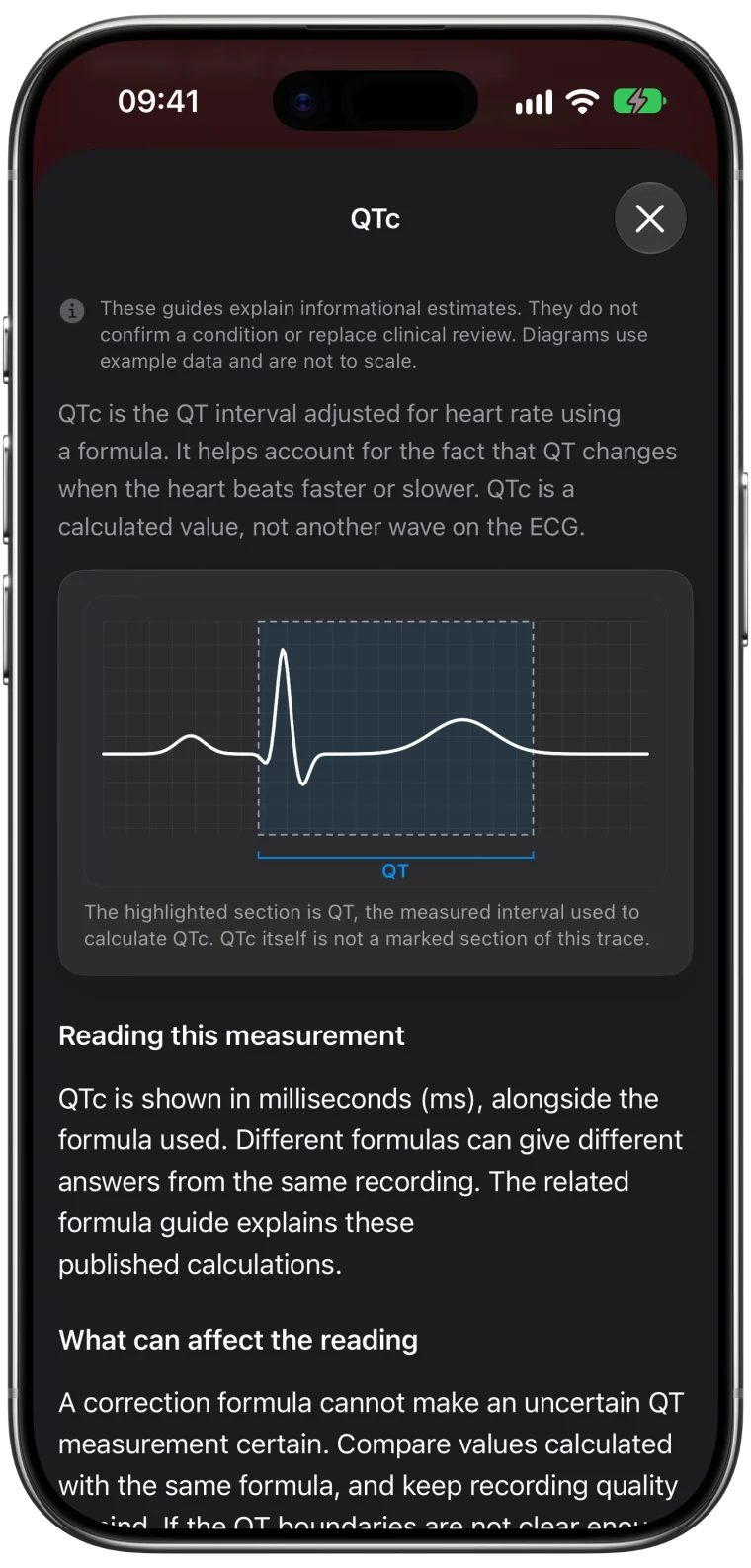 QT and QTc on an Apple Watch ECG: formulas, ranges and why apps differ
How QTc is calculated, typical ranges, why formulas disagree and what a watch recording can show.
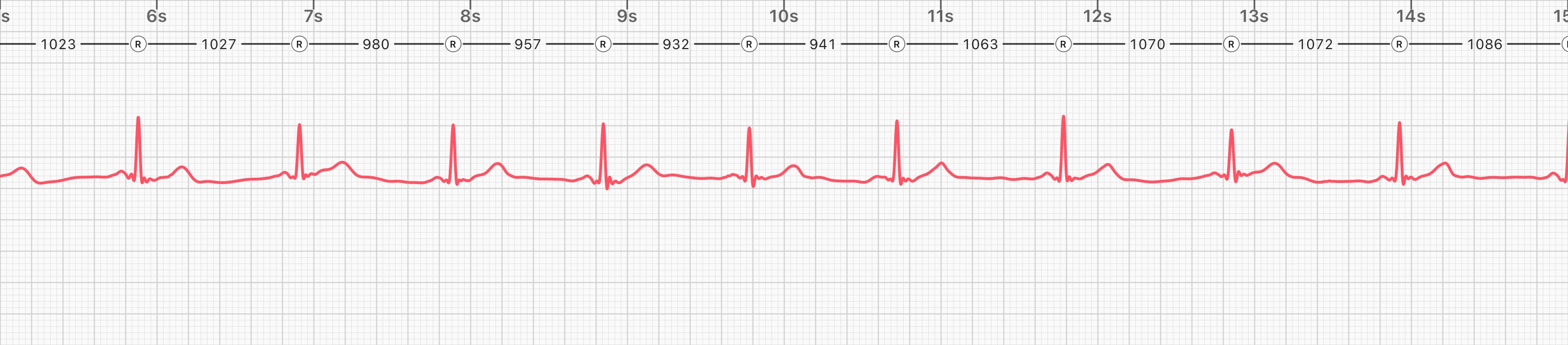 HRV from an Apple Watch ECG: rMSSD, SDNN and how it differs from Apple Health
rMSSD vs SDNN, why Apple Health's HRV is different and what a 30-second ECG can show.
Why an ECG measurement can be unavailable, and what to do about itLocked, still analyzing or not measurable. How to tell them apart and what each one means.
Why a saved ECG measurement can change after an app updateYour recording stays the same. A newer analysis can read it a little differently.
Extra beats and rhythm
Can an Apple Watch ECG show PVCs and PACs? What extra beats look likeWhat extra beats look like on the waveform, why they are only possible and what a 30-second strip cannot tell you.
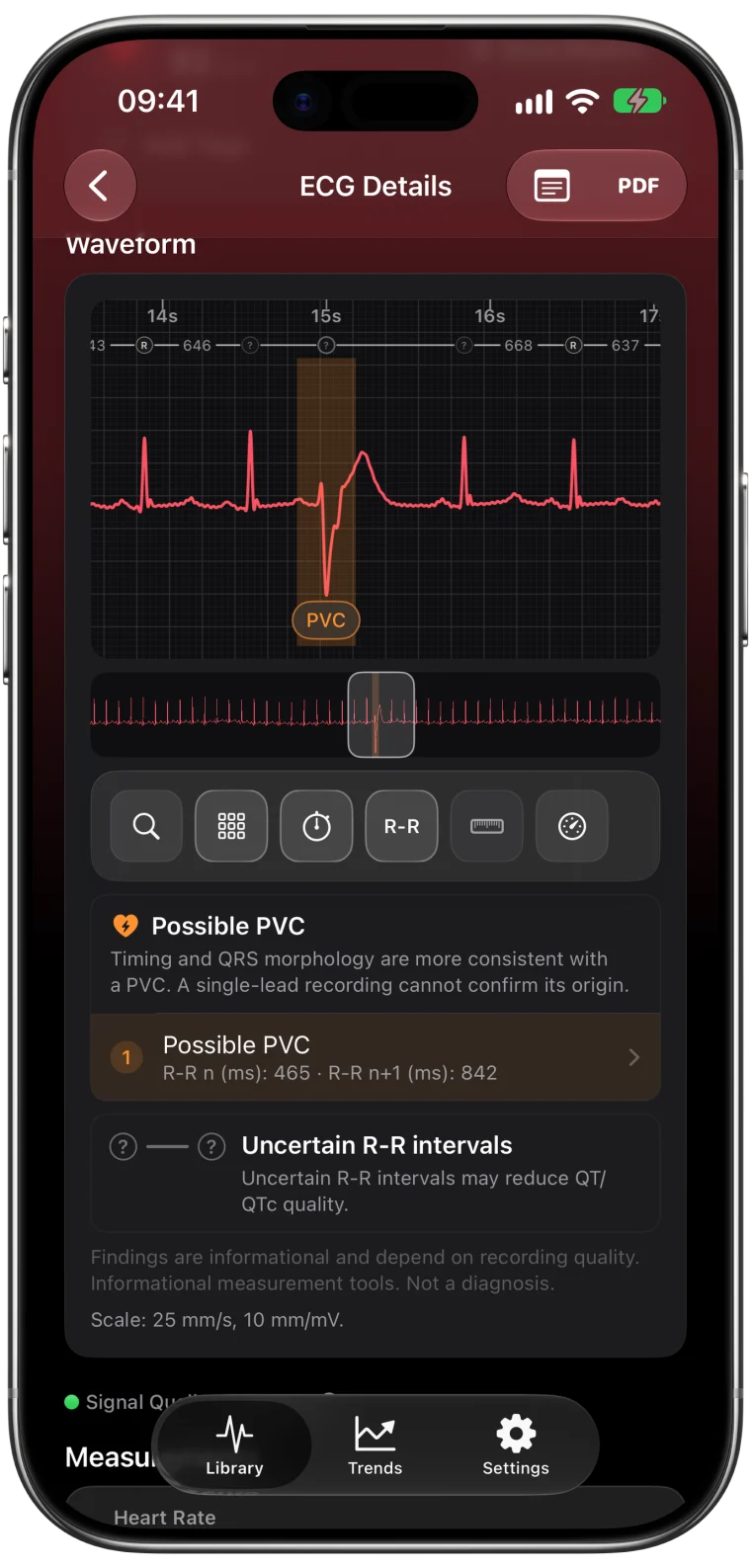
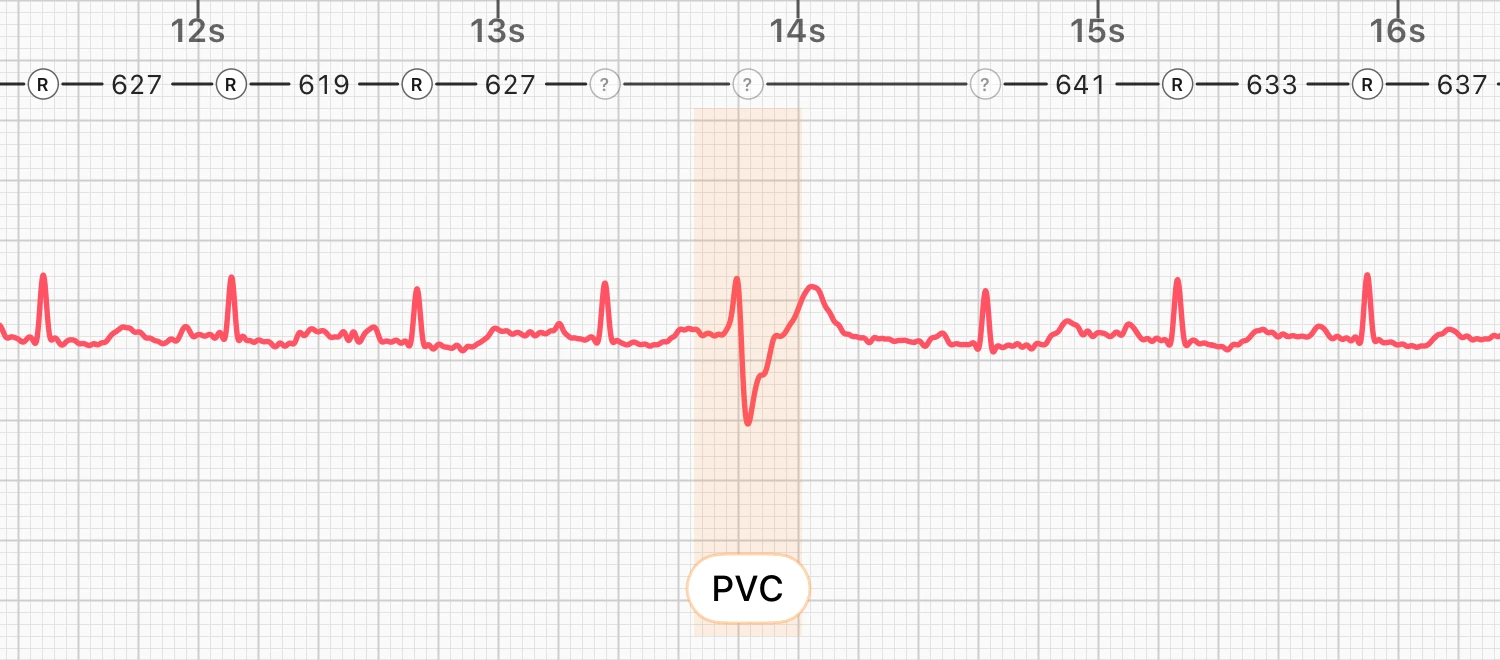 PVC on an Apple Watch ECG: what a premature ventricular contraction looks like
A real single-lead example, the four signs to look for and what one strip cannot tell you.
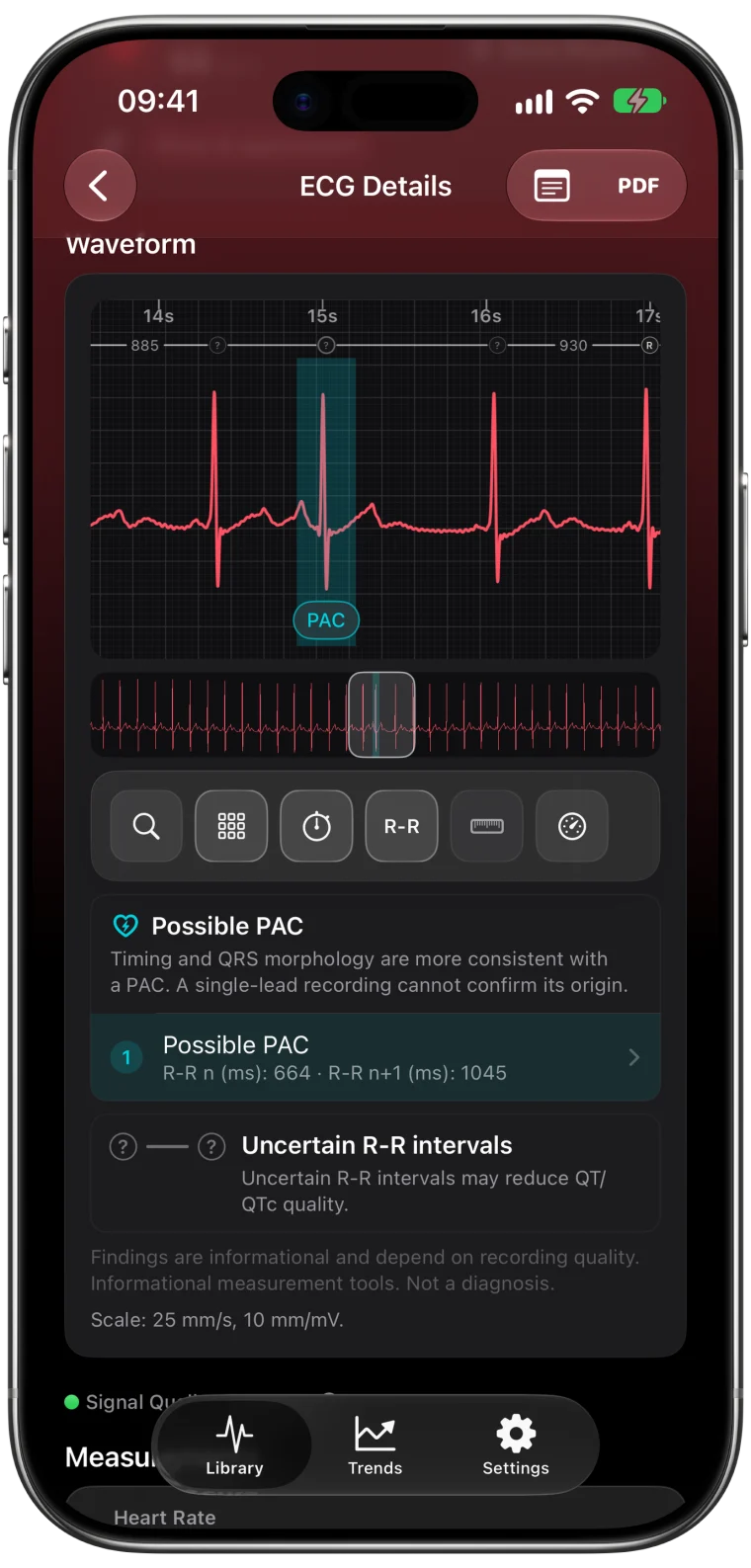
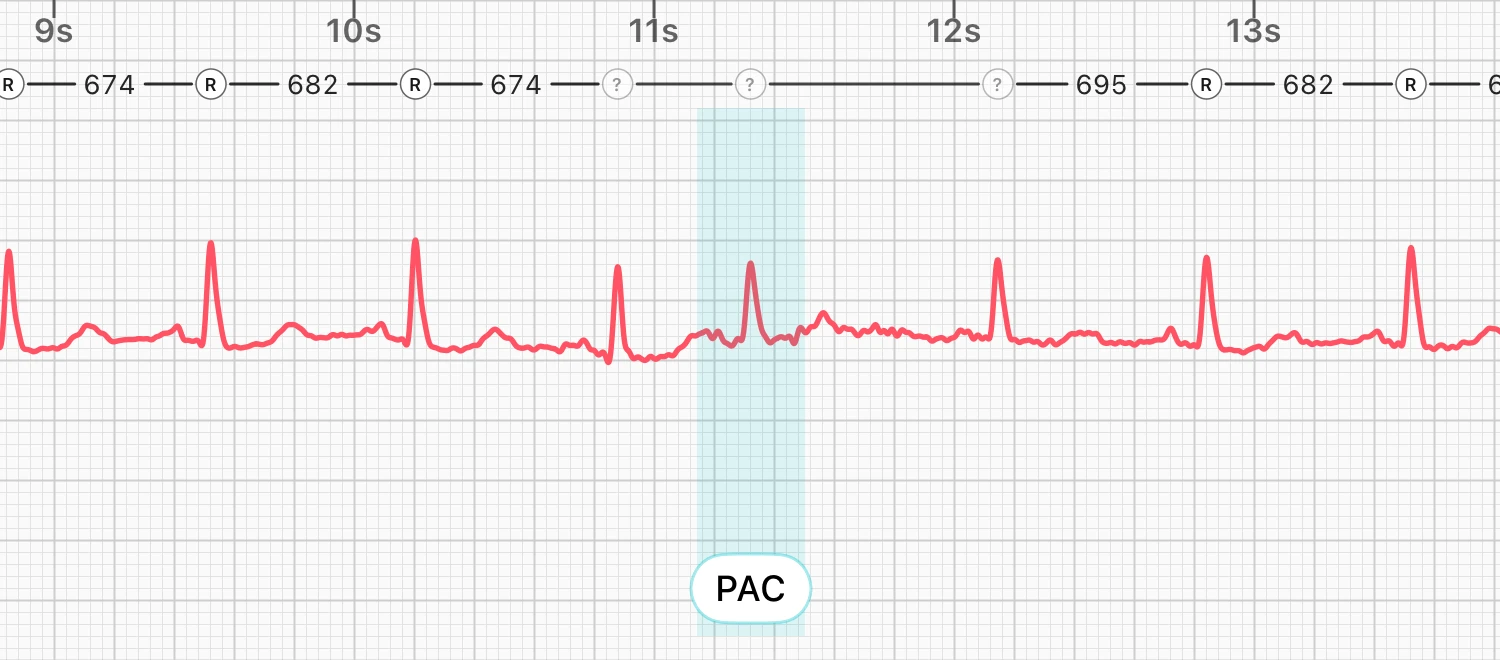 PAC on an Apple Watch ECG: what a premature atrial contraction looks like
A real single-lead example, the signs to look for and how a PAC differs from a PVC.
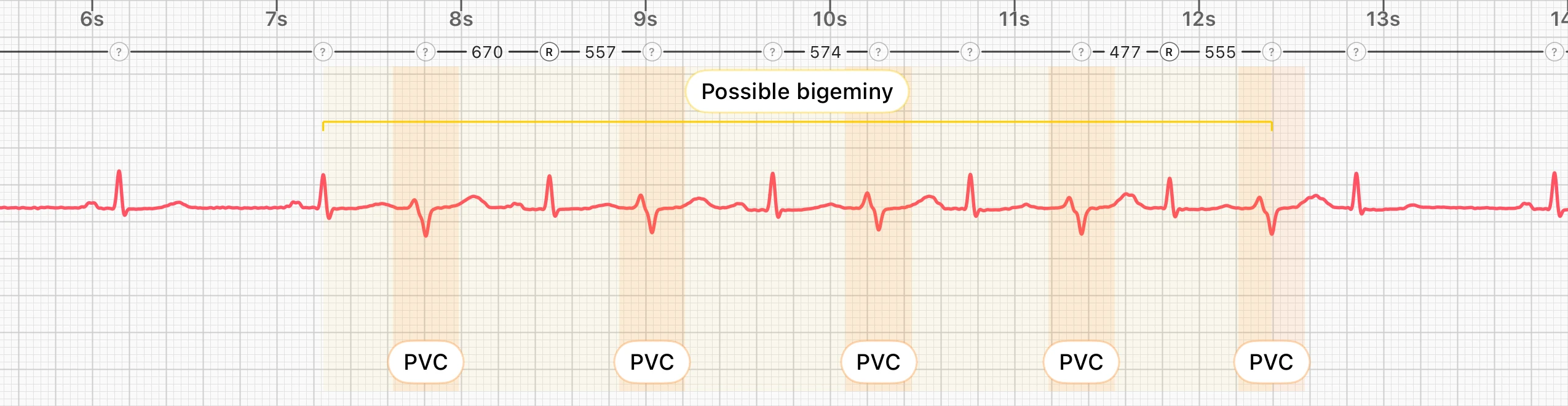 Bigeminy on an Apple Watch ECG: when every second beat comes early
A real single-lead example, how to recognize the pattern and what one strip cannot tell you.
 Trigeminy on an Apple Watch ECG: when every third beat comes early
A real single-lead example of the two-normal, one-early rhythm and what one strip cannot tell you.
Trends and history
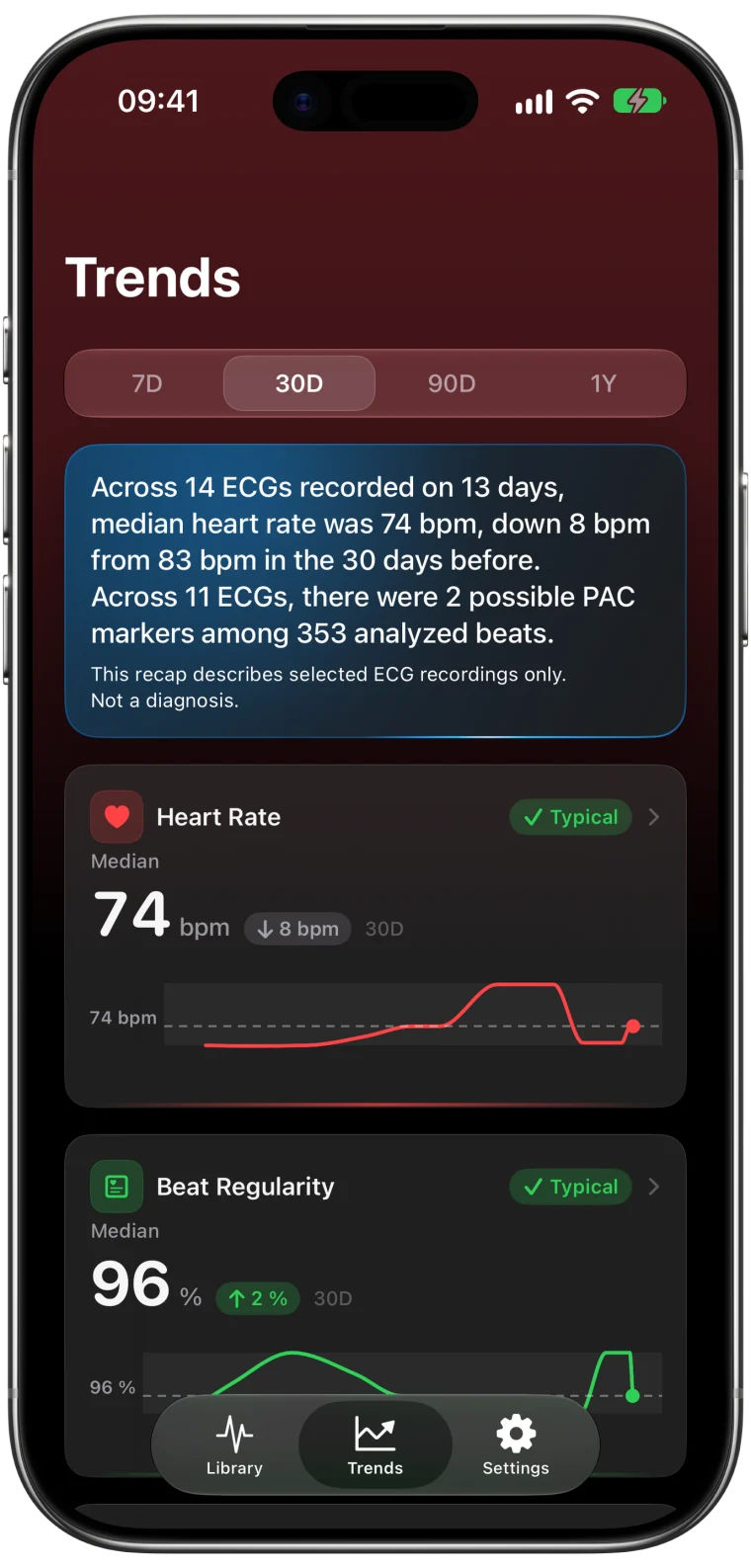 How to read your ECG Trends: medians, recaps and what changed
What the median, latest value and plain-language recap tell you about your recordings over time.
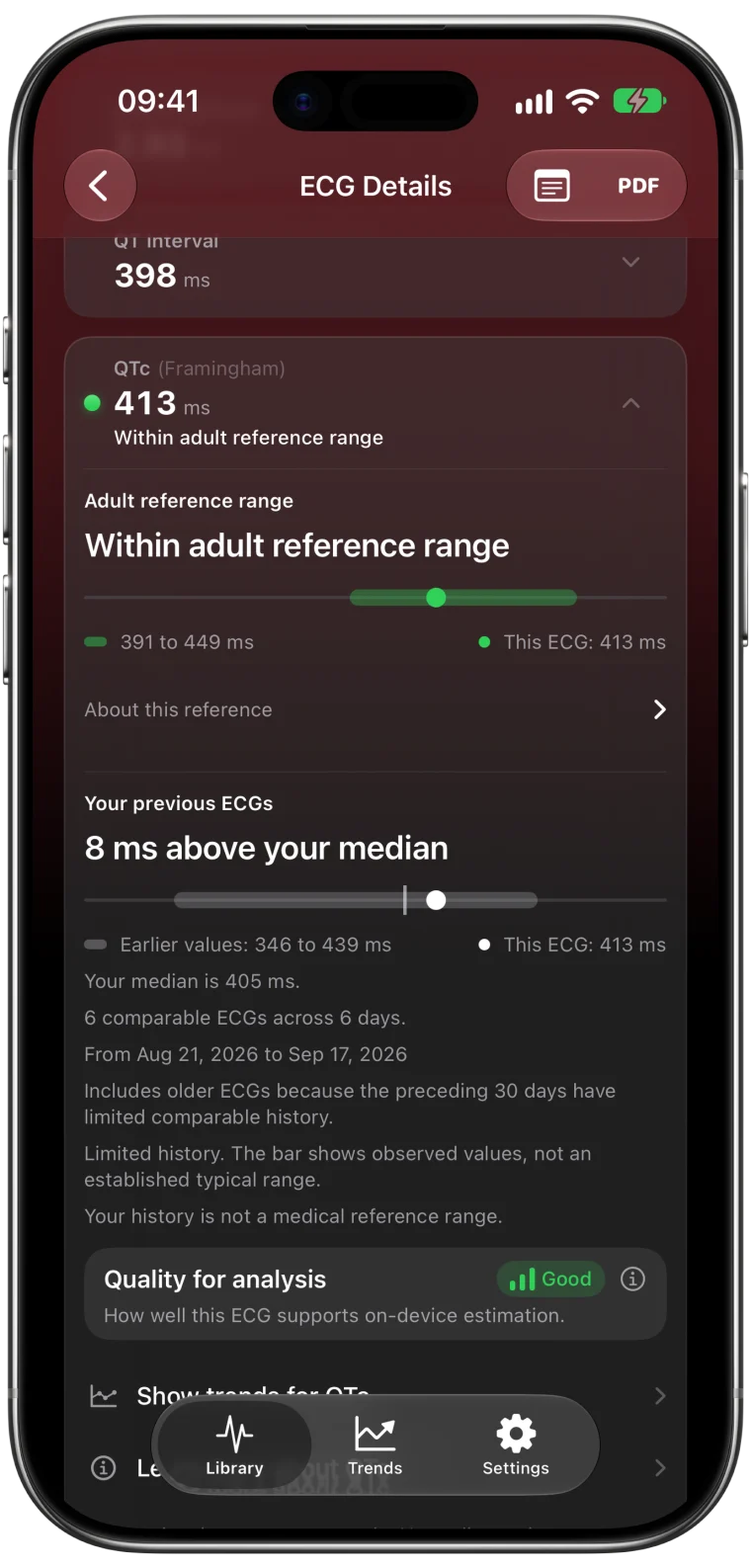 Your usual ECG values vs medical reference ranges
A general adult range and your own history answer different questions. How to read both.
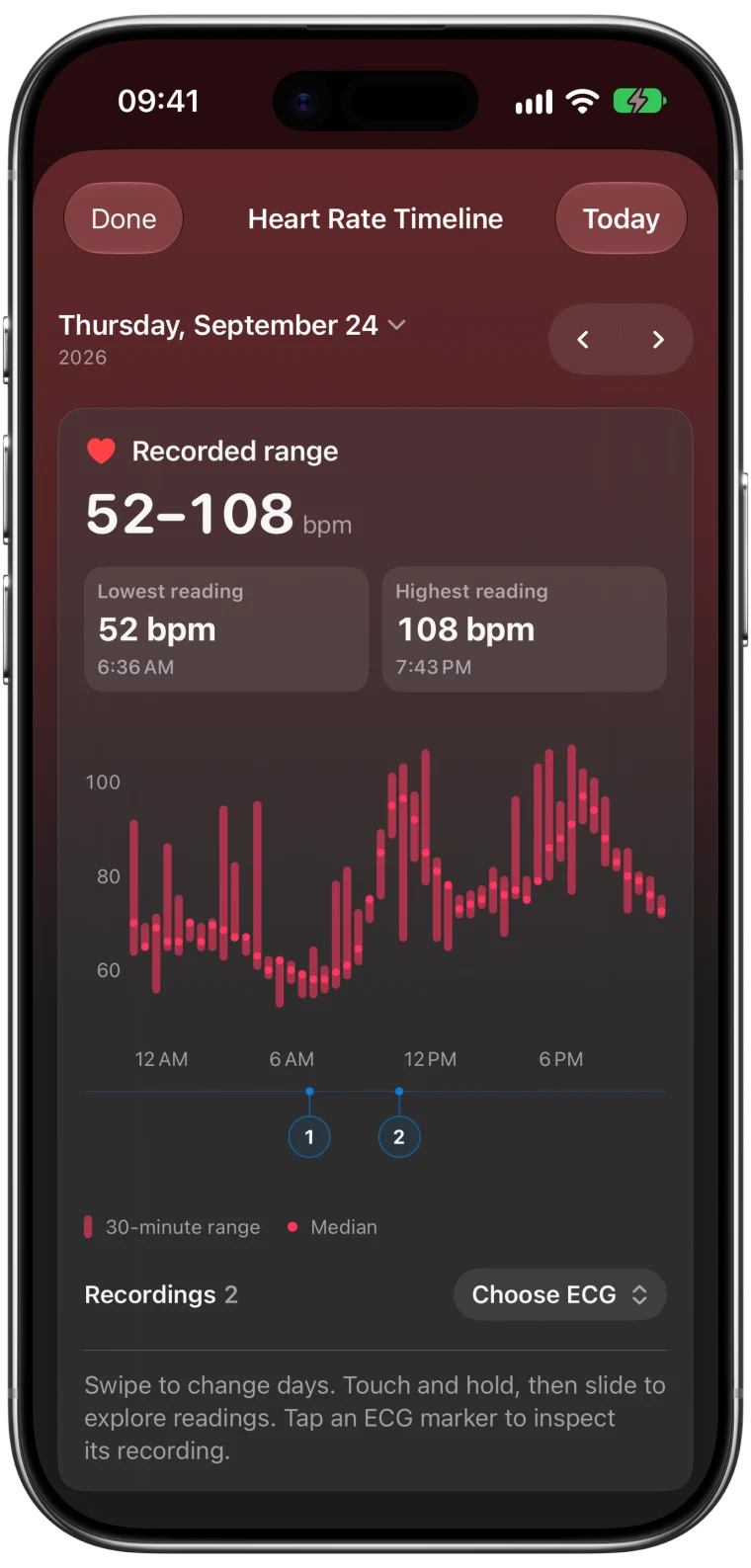 Apple Watch heart rate vs ECG heart rate: why they differ and how to use both
Optical heart rate all day, ECG on demand. How they differ and how to see them together.
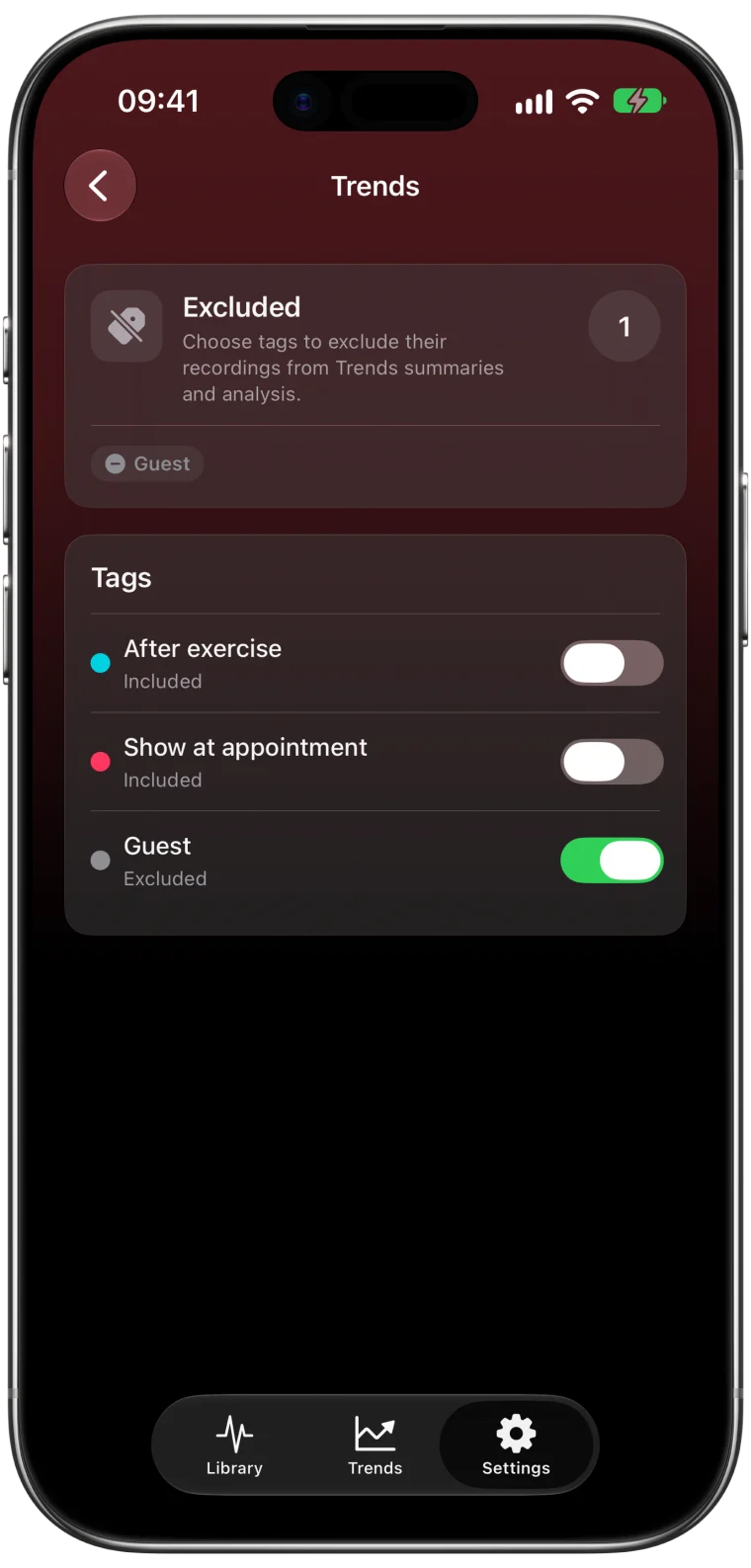 Keep someone else's ECG out of your personal Trends
Tag it, exclude the tag, keep the recording. Your Trends stay yours.
Share with your clinician
Using ECG Tracker+
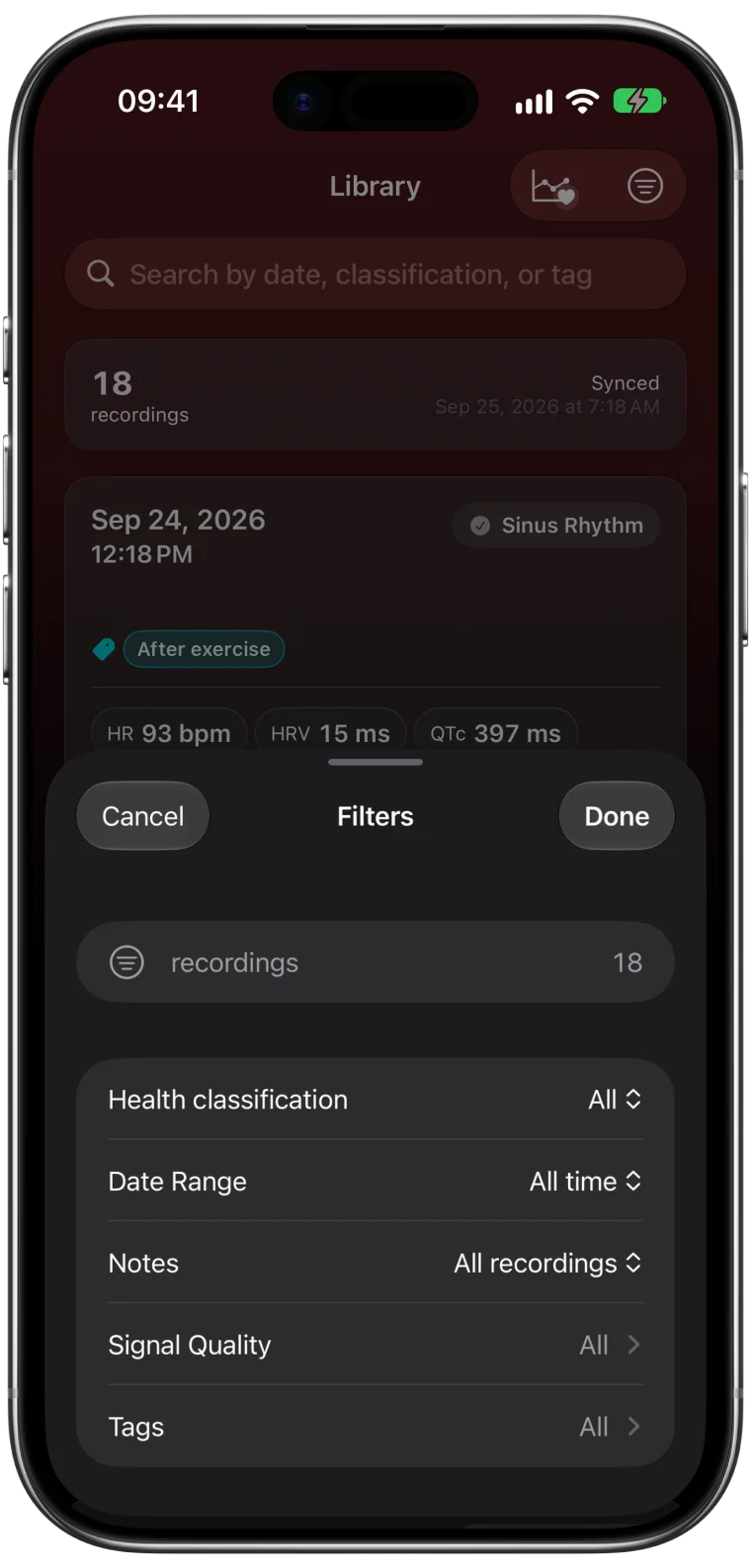 Apple Watch ECG not showing on your iPhone? Find it in four steps
Check Health first, then filters, import and permissions. Most missing ECGs are one of these four.
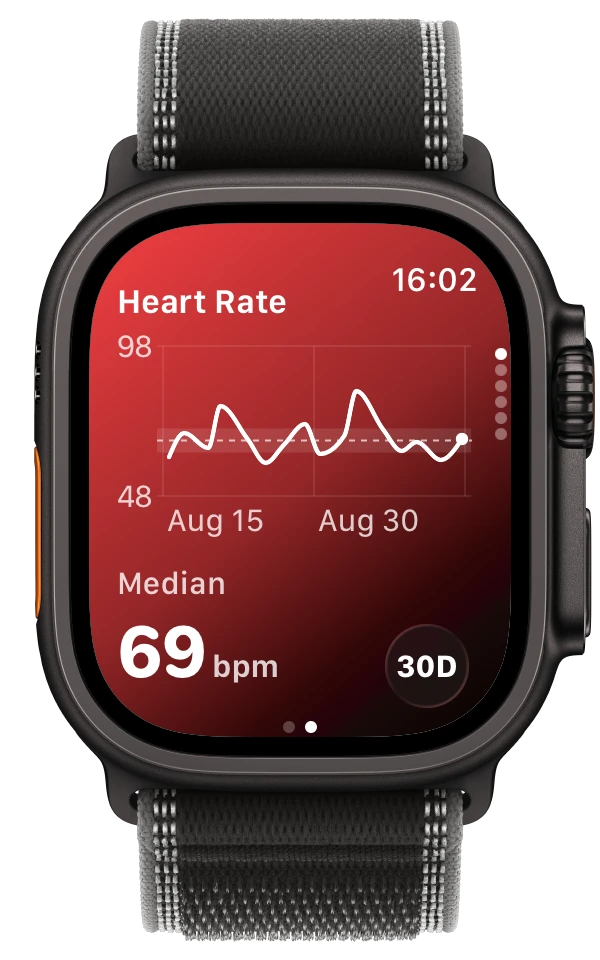 See your ECG results and Trends on Apple Watch
Record with Apple's ECG app, then review measurements and Trends on your wrist.
ECG Tracker+ not updating on Apple Watch? How results reach your wristYour iPhone prepares every result. Here is how to follow a new ECG from wrist to phone and back.

Explore your Apple Watch ECG in more detail
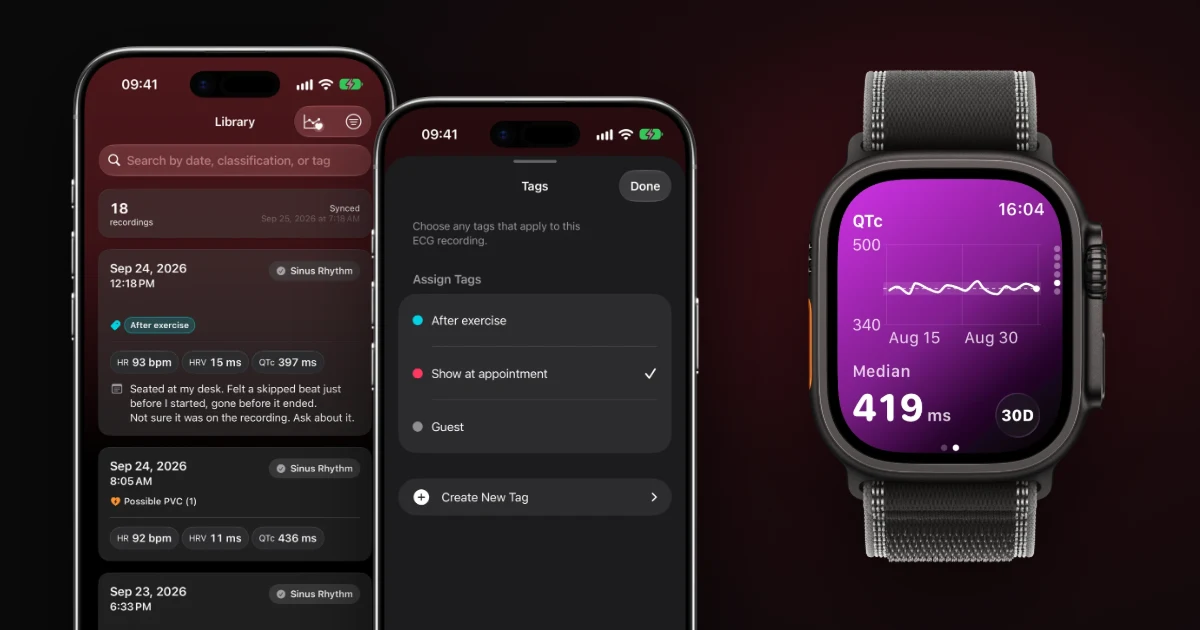
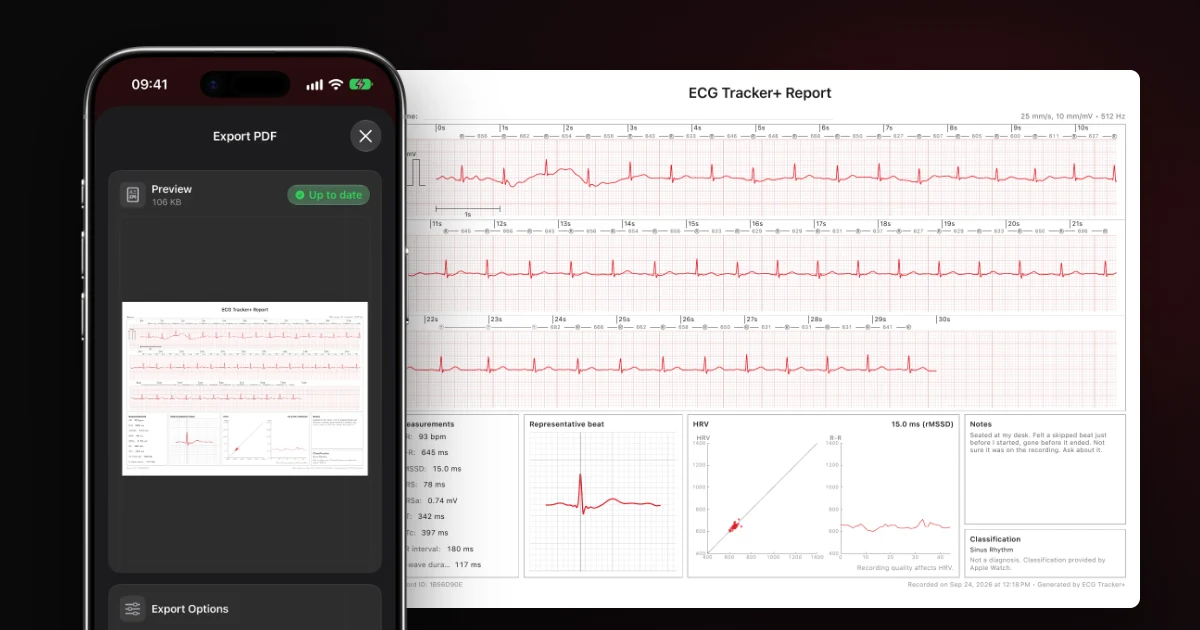
View the full waveform, informational measurements, trends, and possible premature-beat pattern flags on your iPhone. Processing stays on-device.