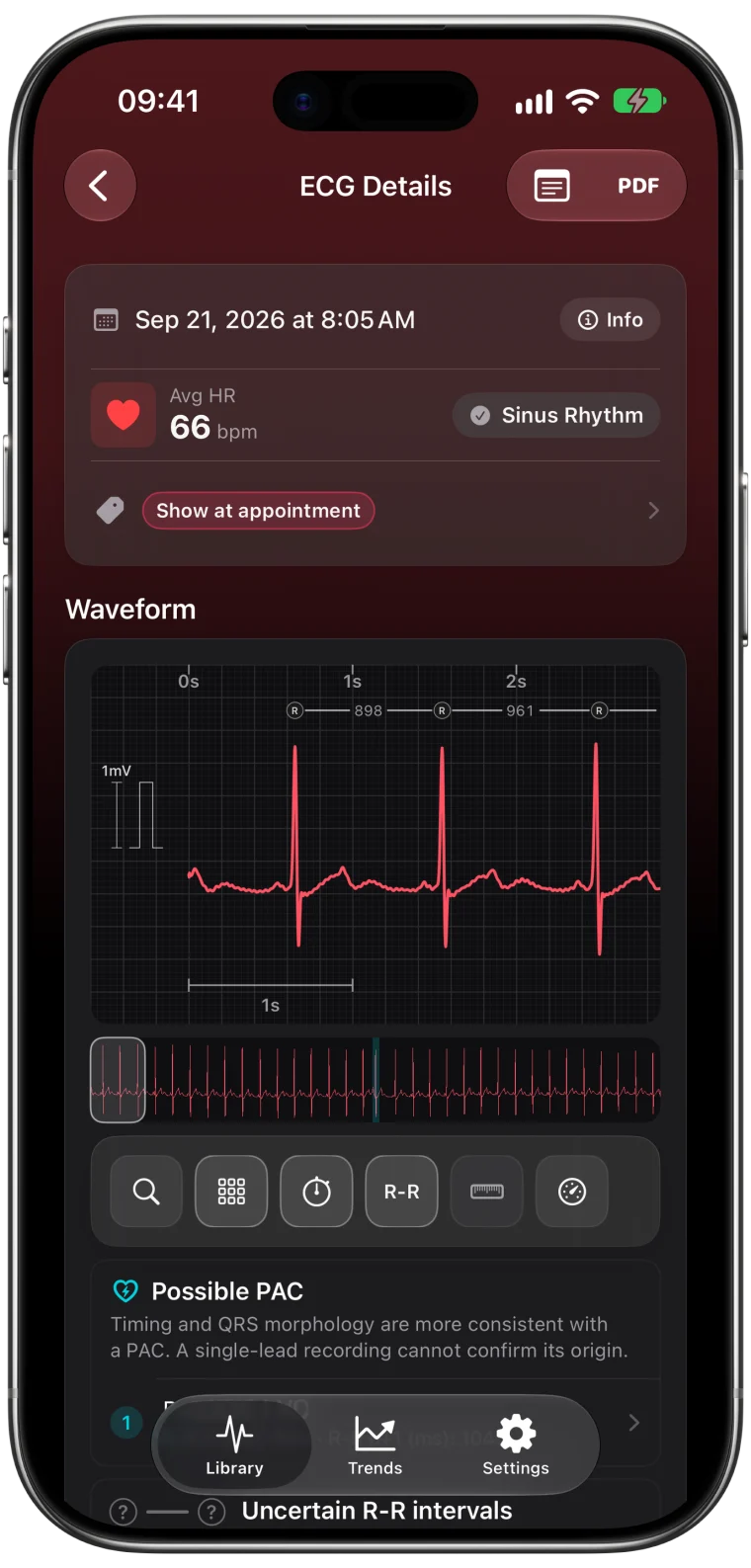
The ECG app on Apple Watch is remarkable. In 30 seconds it records a medical-style waveform from your wrist and gives you a rhythm classification. Apple Health then keeps every recording. For many people that is enough. But if you want to look closer at your recordings, compare them over months or bring a detailed summary to a clinician, there is a lot more information in each strip than Health shows.
What Apple Health gives you
For every ECG, Apple Health shows:
- the waveform of the 30-second recording
- Apple's classification, such as Sinus Rhythm, Atrial Fibrillation, Low or High Heart Rate, or Inconclusive
- the average heart rate during the recording
- any symptoms you logged when you recorded
- a PDF you can share1
That is the essential record, and it stays the original source for every other app.
What an ECG app can add
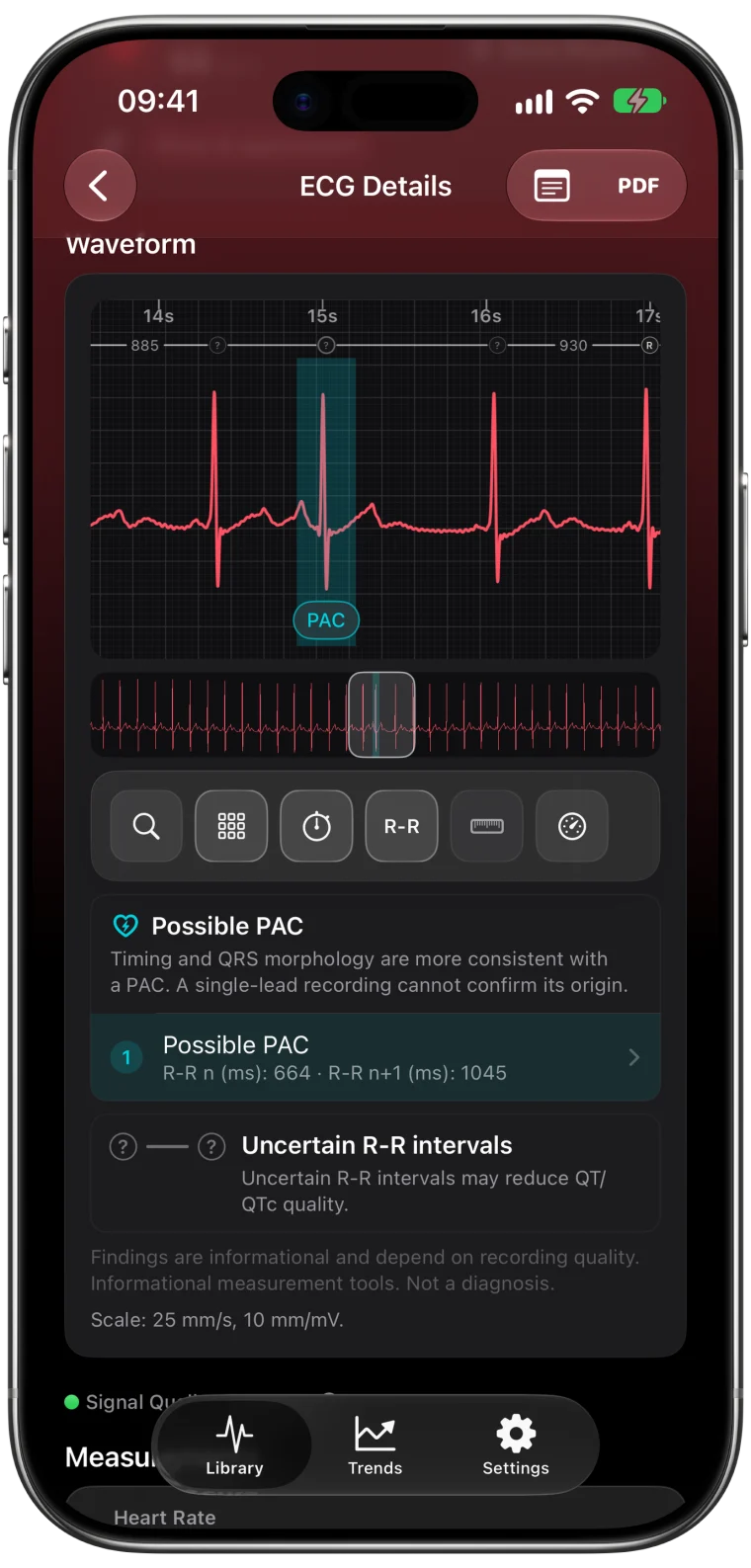
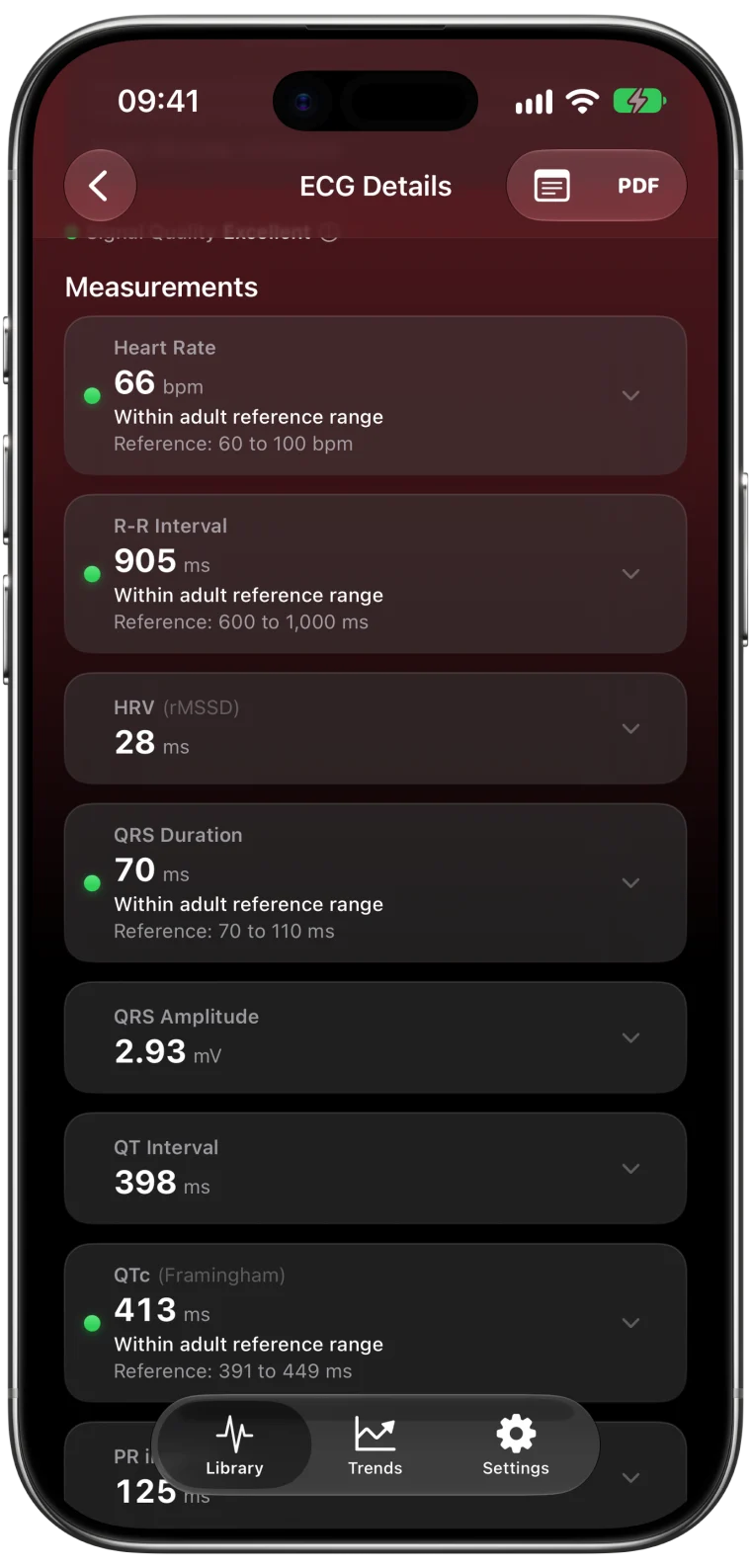
The waveform in each recording contains more than a classification. ECG Tracker+ reads it on your iPhone and shows:
| Feature | Apple Health | ECG Tracker+ |
|---|---|---|
| Waveform and classification | Yes | Yes, with zoom, grid and calipers |
| Average heart rate | Yes | Yes, with R-R intervals |
| PR, QRS, QT and QTc estimates | No | Yes, with reference ranges |
| HRV (rMSSD and SDNN) from the ECG | No | Yes |
| Possible PACs and PVCs | No | Marked on the beat for review |
| Beat morphology | No | A representative beat with its markers |
| Trends across recordings | No | 7 days to 1 year, with a plain-language recap |
| Signal quality label | No | Yes |
| Notes and tags | Symptoms at recording time | Notes, tags, filters and search |
| PDF report | Basic | Detailed, with measurements |
| Results on Apple Watch | Classification | Measurements and Trends |
Why the extra measurements matter
Apple's classification answers one question about rhythm. The measurements answer others. How long does the electrical signal take to cross the ventricles? How much does the time between beats vary? Are those numbers similar from week to week?
For example, someone taking a medicine that can lengthen QT may want to see their QTc estimates over time and bring them to their clinician. Someone who feels skipped beats may want to see whether a possible extra beat was captured in a particular recording and where it sits on the waveform. None of this replaces a clinical ECG, but it makes the recordings you already have much easier to understand and discuss.
What stays the same
ECG Tracker+ does not change your data in Health. It reads your ECGs with your permission and never writes to Health. Apple's classification stays exactly as the Watch recorded it.2
Analysis runs on your iPhone. Your waveforms are not uploaded for analysis, and you do not need an account.
What neither can do
Both Apple's ECG app and ECG Tracker+ work with a single-lead, 30-second recording. That is a snapshot from one angle, not a 12-lead ECG or continuous monitoring. Apple states clearly that its ECG app cannot identify heart attacks and many other conditions.1 The measurements in ECG Tracker+ are informational estimates, not a diagnosis.
The comparison of Apple Watch and 12-lead ECGs explains what one lead can and cannot show.
Frequently asked questions
Do I need to record new ECGs to use ECG Tracker+?
No. The app imports the ECGs already saved in Apple Health, including older ones, so you can review your history on day one.
Does ECG Tracker+ replace Apple's ECG app?
No. You keep recording with Apple's ECG app on the Watch. ECG Tracker+ adds a detailed view and measurements for those recordings.
Is my data shared with anyone?
Analysis runs on your iPhone, and no account is needed. You decide when to export or share a report.