Search the App Store for "Apple Watch ECG" and you will find a dozen apps with bold promises. They all start from the same thing, the 30-second recording saved in Apple Health. What differs is what they show you, how carefully they explain it and what happens to your data. A good choice depends on what you actually want from your recordings.
A note before we start: we make ECG Tracker+. We have written this checklist so it works for any app, and we think you should hold us to it too.
Start with what you want to know
Different people want different things from their ECGs.
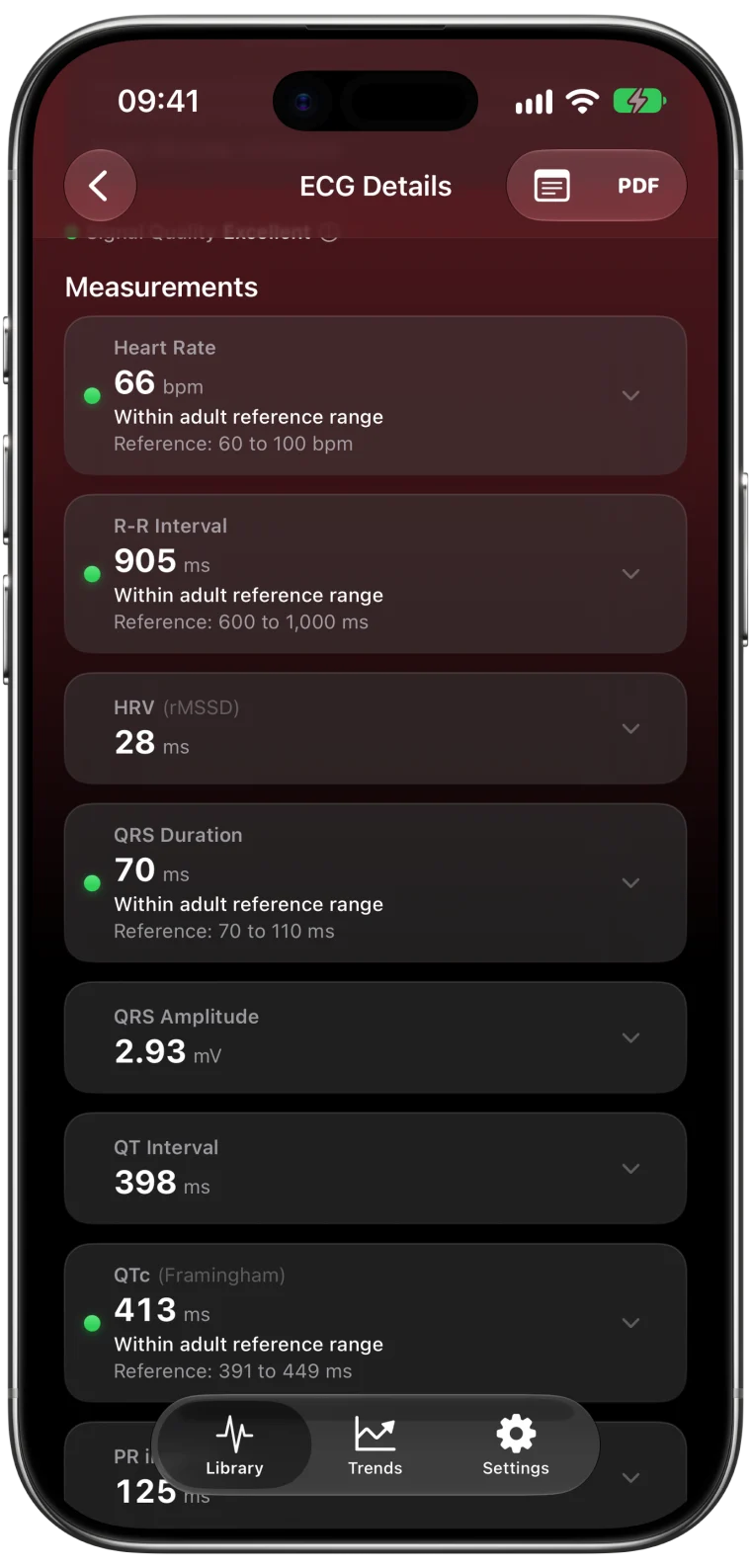
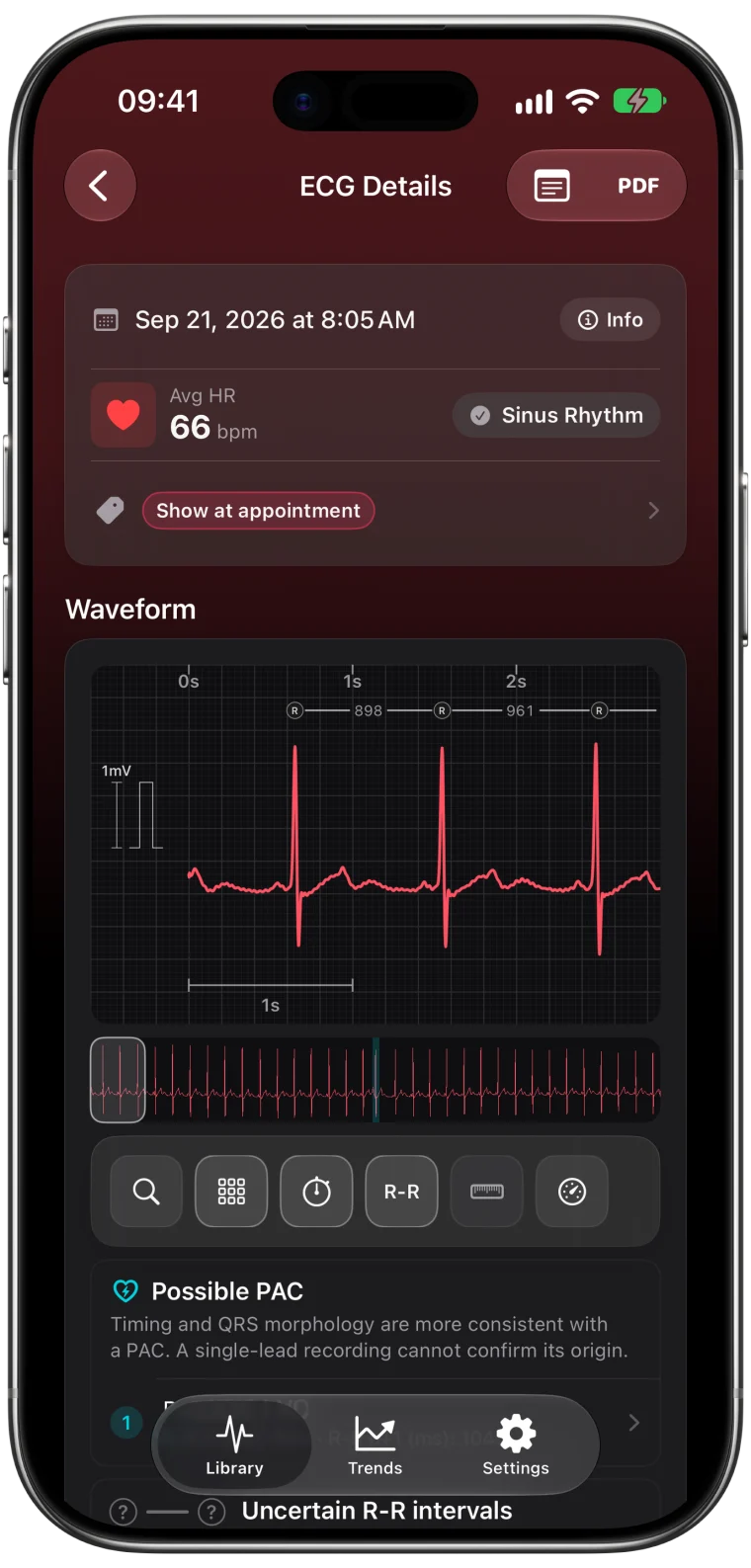
- "What does this recording show?" Look for a clear waveform viewer with a grid, zoom and measurements such as heart rate, PR, QRS, QT and QTc.
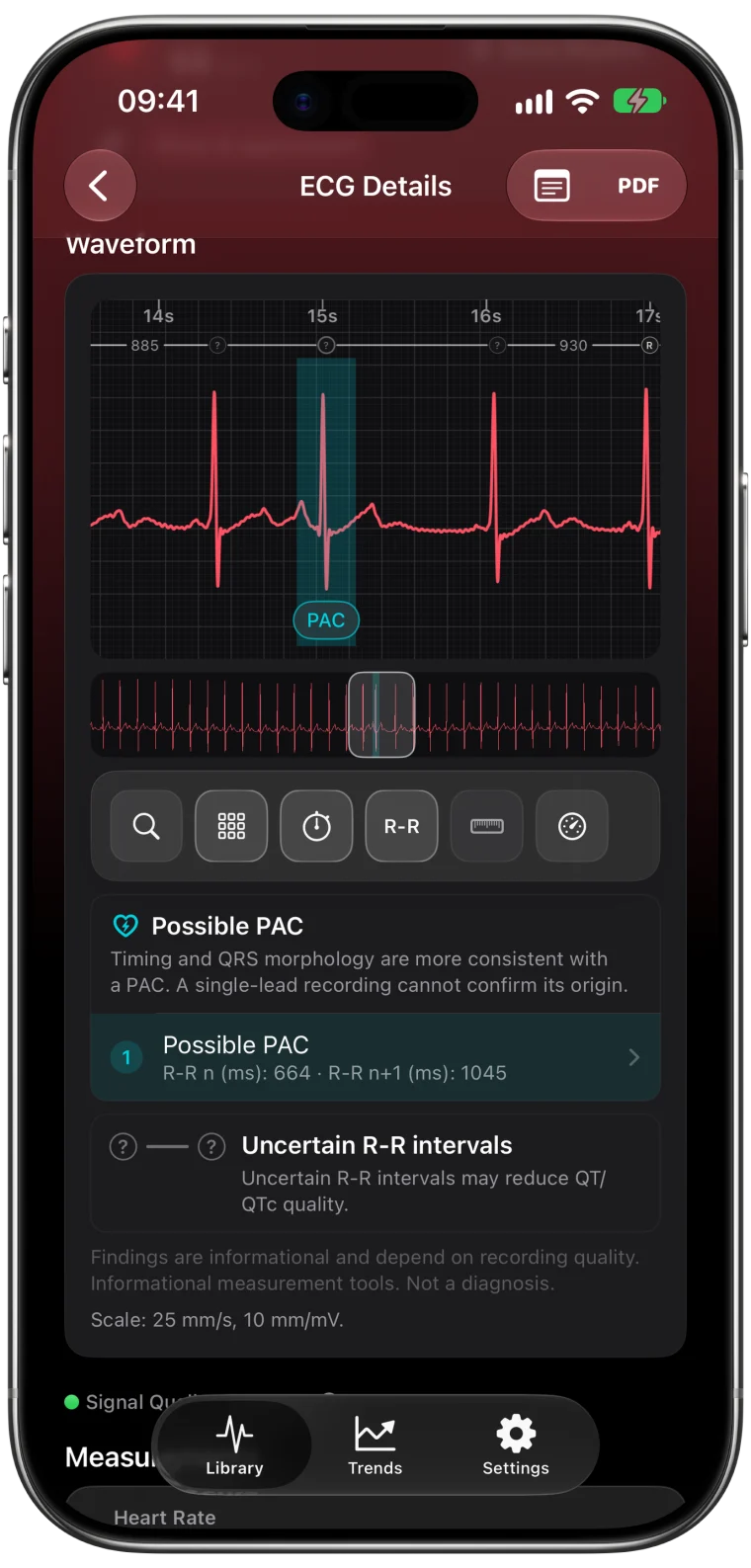
- "Are my extra beats showing up?" Look for an app that marks possible premature beats on the waveform, not just a count.
- "How am I doing over time?" Look for trends across recordings, with the ability to open the ECG behind any point.
- "What should I show my doctor?" Look for notes, tags and a detailed PDF report.
Checklist: measurements
- Does the app show the interval values it calculates, with units and reference ranges?
- Does it name the QTc formula it uses and let you change it? Different formulas give different results from the same recording.1
- Does it tell you when a measurement is unavailable and why, instead of showing a number it cannot support?
- Does it show a signal quality label, so you know how much to trust a noisy strip?
Checklist: honesty about limits
This is the most important part and the easiest to overlook. An Apple Watch ECG is a single-lead, 30-second recording. It cannot detect heart attacks and cannot replace a 12-lead ECG.2
- Does the app say "possible" or "estimate" rather than presenting findings as diagnoses?
- Does it avoid promising to tell you what is causing your symptoms?
- Does it explain that a 30-second strip cannot measure how often something happens across a day?
- Is accuracy described with real evidence, or only with star ratings and testimonials?
Apps that sound too certain are not more useful. They are less honest.
Checklist: privacy
Your ECGs are sensitive health data.
- Where is the analysis done, on your phone or on a server?
- Does the app need an account?
- Does it write anything back to Apple Health?
- Can you delete everything from within the app?
ECG Tracker+ analyzes recordings on your iPhone, needs no account, reads Health without writing to it and lets you delete imported data at any time.
Checklist: sharing and everyday use
- Can you export a PDF that shows the full waveform and the measurements?
- Can you add notes and tags to explain why you recorded?
- Does the app work with the ECGs you already have, or only new ones?
- Is there an Apple Watch app that shows more than Apple's classification?
Checklist: price
Most ECG apps are free to download with a subscription or one-time purchase for advanced features. Check what the free version includes, whether a trial is offered and whether a one-time option exists. Make sure the features you need are in the plan you are willing to pay for.
Our view
Whichever app you choose, use it to understand and organize your recordings, not to replace medical care. If something worries you, a clinician with a 12-lead ECG can answer questions that no watch app can.
Frequently asked questions
What is the best ECG app for Apple Watch?
The one that shows the measurements you need, explains its limits clearly, keeps your data private and makes sharing easy. Use the checklist above to compare apps on those points.
Are Apple Watch ECG apps accurate?
The Apple Watch records a good-quality single-lead ECG. How well an app measures intervals from it varies. Look for apps that label values as estimates, show when a measurement is unavailable and describe their evidence honestly.
Can an ECG app diagnose heart problems?
No. Consumer ECG apps like ECG Tracker+ provide informational measurements. A diagnosis needs a clinician, and often a 12-lead ECG or longer monitoring.