The end of an Apple Watch ECG is a single line of text. For many people it says Sinus Rhythm and they move on. But sometimes it says Inconclusive for the fifth time in a row, or High Heart Rate after a workout, or Atrial Fibrillation for the first time. Here is what each result means, where its limits are and what a sensible next step looks like.
The six possible results at a glance
| Result | What it means |
|---|---|
| Sinus Rhythm | A uniform rhythm, which Apple describes as between 50 and 100 bpm |
| Atrial Fibrillation | An irregular pattern consistent with AFib |
| Low Heart Rate | Heart rate under 50 bpm, so AFib cannot be checked |
| High Heart Rate | A heart rate above the range the app can fully assess, which depends on the version |
| Inconclusive | The recording could not be classified |
| Poor Recording | The signal was not good enough to classify, in version 2 only |
The descriptions come from Apple's own guidance.1 Which ECG app version you have depends on your country or region. You can check it on your iPhone in Health under Browse, Heart, Electrocardiograms (ECG), About.2
Sinus Rhythm
Sinus Rhythm means the upper and lower chambers of the heart beat in sync, in a uniform pattern between 50 and 100 beats per minute.1 It is the result most people see most of the time.
What it does not mean is equally important. Apple states that a Sinus Rhythm result applies only to that recording and does not mean you are healthy. Extra beats can still appear in a sinus recording, and many heart conditions are invisible on a 30-second single-lead strip. The Sinus Rhythm guide goes further.
Atrial Fibrillation
An AFib result means the heart was beating in an irregular pattern consistent with atrial fibrillation, the most common serious rhythm disorder.1 On the waveform, AFib typically shows irregular spacing between beats with no organized P waves before them.
Apple's advice is clear. If you get an AFib result and have not been diagnosed with AFib, talk to your doctor. If you feel unwell, with chest pain, fainting or severe breathlessness, seek urgent care.
ECG Tracker+ does not classify AFib itself. It keeps Apple's classification with the recording and shows the waveform and R-R intervals, which helps when you share the recording with a clinician.
Low Heart Rate and High Heart Rate
Low Heart Rate means your heart rate was under 50 bpm, which is below the range where the app can check for AFib.1
High Heart Rate depends on the version. In version 1 it means a rate over 120 bpm, where AFib cannot be checked. Version 2 checks for AFib up to 150 bpm. Its instructions describe a High Heart Rate result for a rate of 100 to 150 bpm with no signs of AFib, and a separate result for AFib with a high heart rate.3 Above 150 bpm, version 2 cannot check.
According to Apple, a low heart rate can come from certain medications or from electrical signals that are not conducted properly through the heart. A high heart rate can come from exercise, stress, nervousness, alcohol, dehydration or an infection, and also from AFib or another arrhythmia.1 Recording again after a few minutes of seated rest often gives a classifiable result. If a low or high rate comes with dizziness, fainting or chest discomfort, contact a clinician.
Inconclusive
Inconclusive means the recording could not be classified. Apple lists a heart rate between 100 and 120 bpm in version 1, a pacemaker or implantable defibrillator, signs of other arrhythmias or heart conditions the app is not designed to recognize, and physiological conditions that keep some people from producing a strong enough signal.1 The Inconclusive guide explains each reason and what you can still learn from the waveform.
Poor Recording
Poor Recording, used in version 2, means the signal was not clean enough to classify. It is almost always about the recording conditions: movement, a loose band, a damp wrist, the wrong wrist setting or nearby electrical interference. The guide to a clean Apple Watch ECG walks through the fixes.
What the classification cannot tell you
Every Apple Watch ECG is a single-lead recording, similar to lead I of a clinical ECG, lasting 30 seconds.13 Apple is explicit that the ECG app cannot detect heart attacks, blood clots, strokes, high blood pressure, heart failure or other forms of arrhythmia.
Chest pain, pressure or tightness, fainting or severe shortness of breath need emergency care, whatever your Watch says.
See what is behind any result
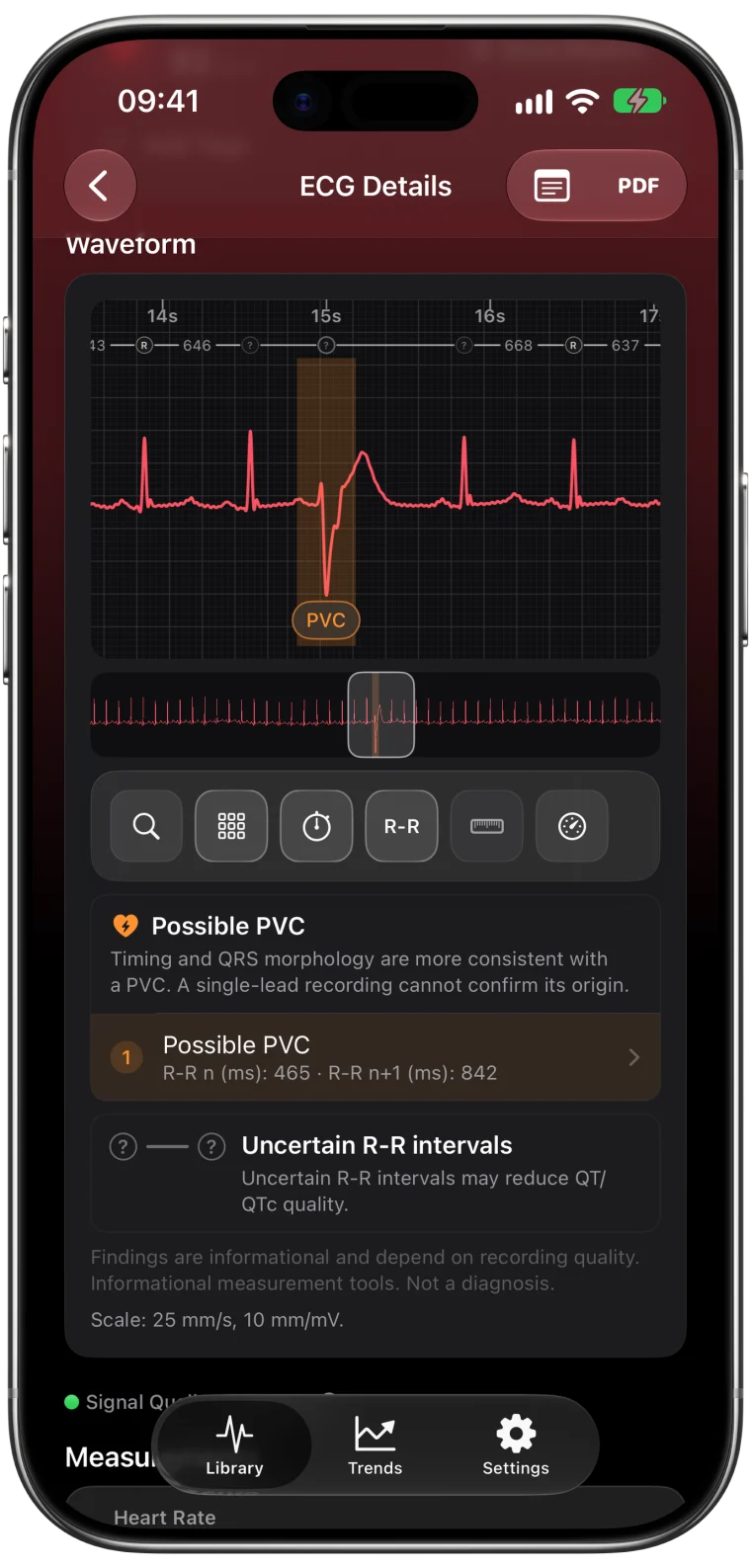
The classification is one line. The recording behind it has 30 seconds of waveform that you can look at in detail. ECG Tracker+ shows each recording with its heart rate, R-R intervals, informational interval estimates and any possible extra beats, even when Apple's result is Inconclusive.
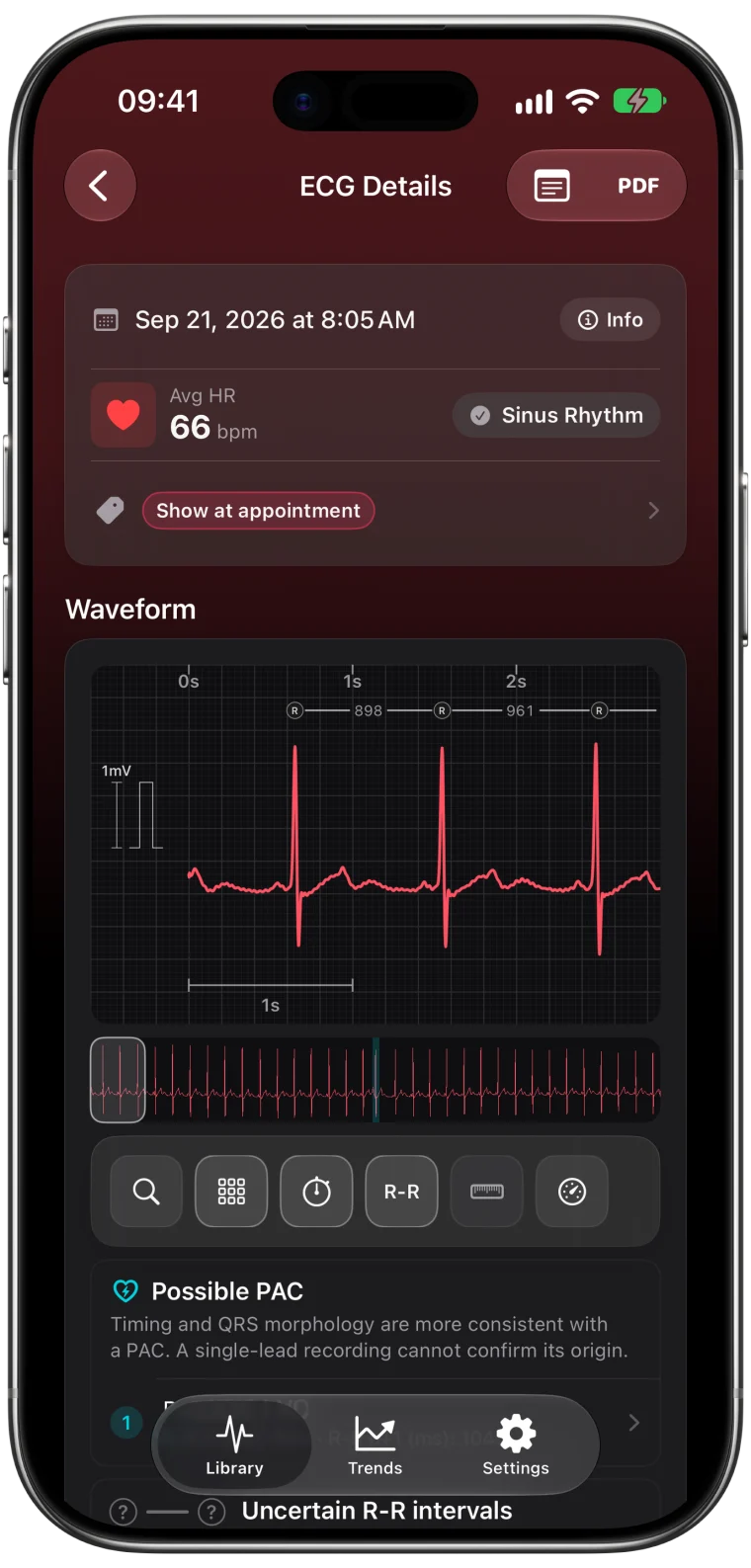
The guide to reading an Apple Watch ECG shows what to look for.
Frequently asked questions
Is Sinus Rhythm on Apple Watch good?
Sinus Rhythm means your heart beat in a uniform pattern between 50 and 100 bpm during that recording. It is the expected result for most people, but it applies only to those 30 seconds and does not mean you are healthy.
What should I do if my Apple Watch ECG says Atrial Fibrillation?
If you have not been diagnosed with AFib, talk to your doctor. If you have symptoms such as chest pain, fainting or severe shortness of breath, seek emergency care.
What is the difference between Inconclusive and Poor Recording?
Poor Recording, in version 2, points to a signal problem you can usually fix. Inconclusive means the recording could not be classified, which can happen for many reasons, including heart rate range, pacemakers and other rhythms.
Can an Apple Watch ECG detect a heart attack?
No. Apple states that the ECG app cannot detect a heart attack. Call emergency services for chest pain, pressure or tightness.