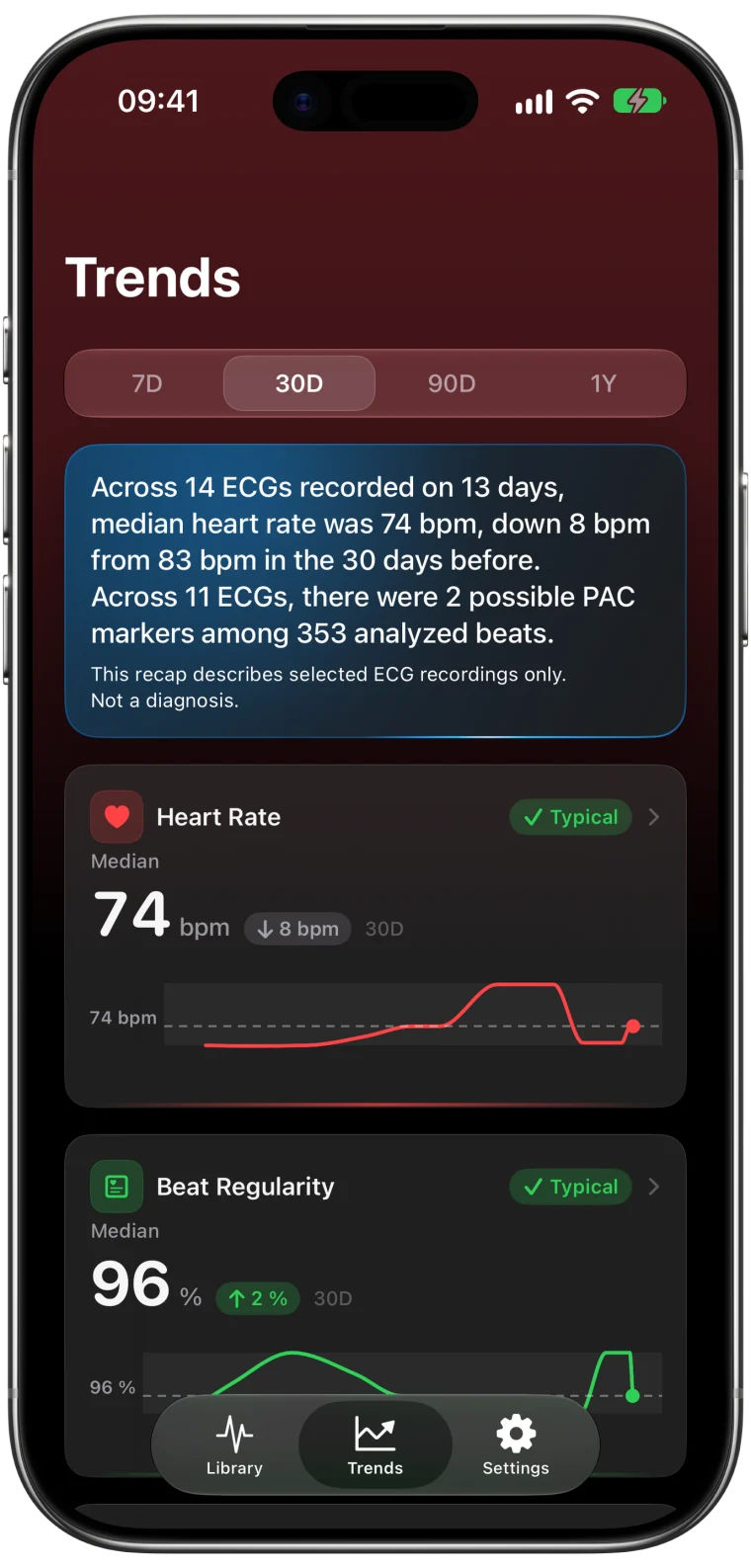
It happens more often than you might think. A parent asks to try the ECG app on your Watch, or a partner wants a quick check after climbing the stairs. Apple saves every recording to your Health profile, so their ECG sits in your history as if it were yours. One stranger's heart rate can visibly shift your averages.
Why it matters for your Trends
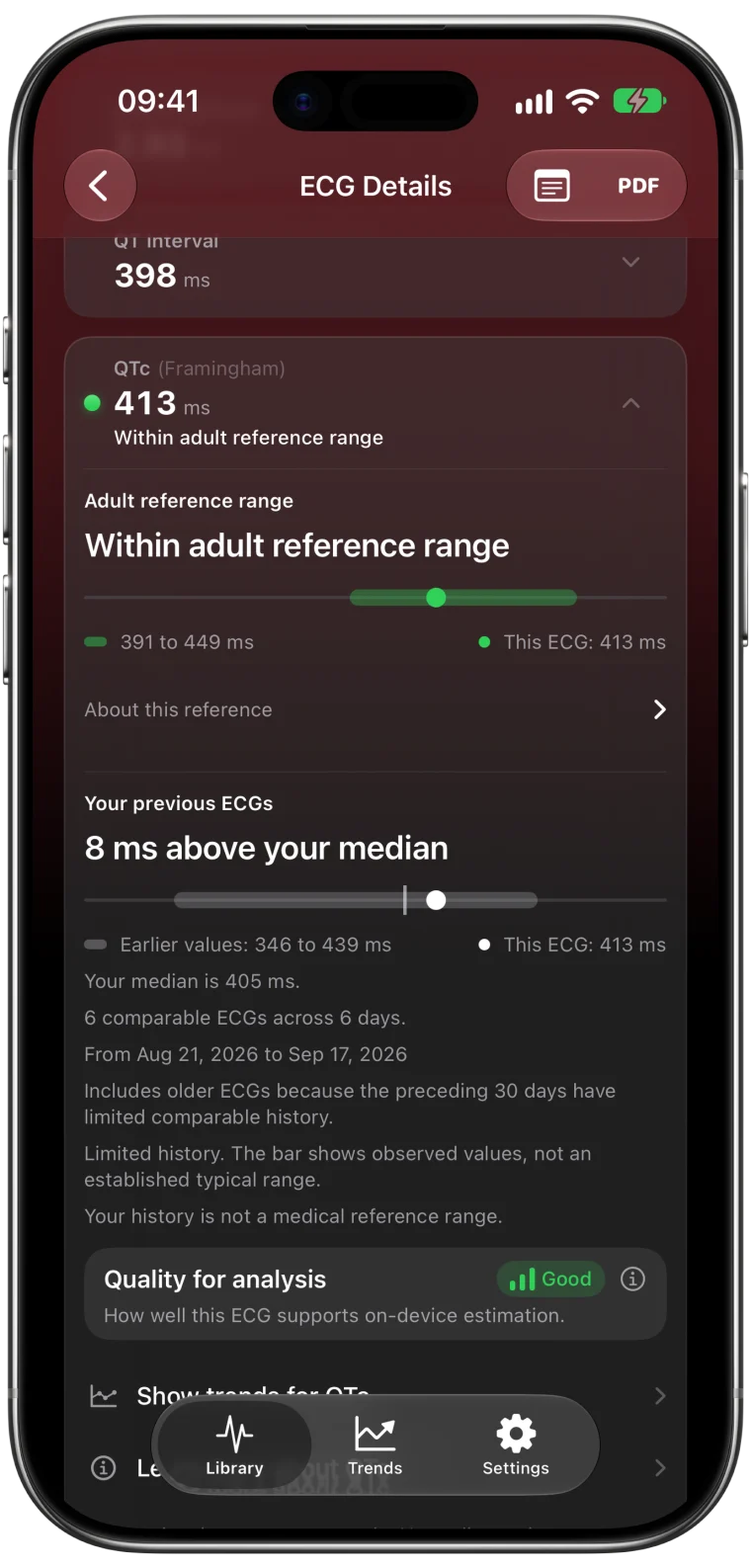
Trends summarize the recordings in a period, so each one counts. Suppose your usual heart rate on ECGs is around 62 bpm and a family member's recording shows 95 bpm. In a week with only four recordings, that single ECG pulls the summary noticeably upward. Comparisons that place a new recording against your earlier ones are affected in the same way.
The app cannot tell whose heart produced a waveform, and it should not guess. The information has to come from you, which is exactly what a tag is for.
Step 1: Tag the recording
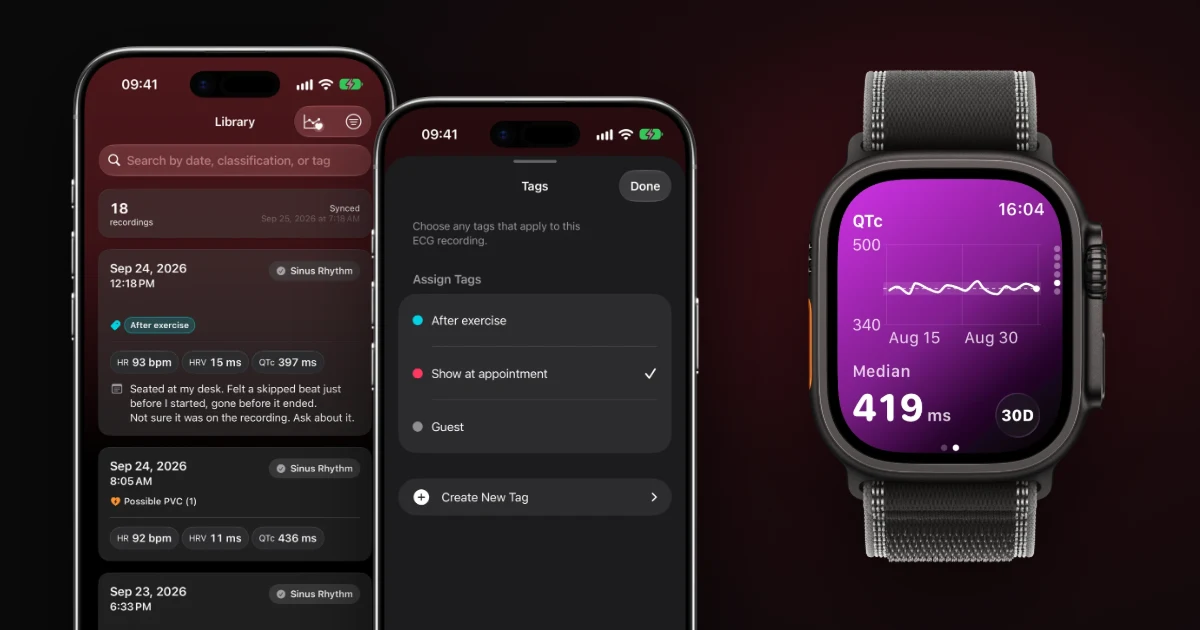
- Open the ECG from its date and time.
- Tap Add Tags, or the tag row if it already has tags.
- Create a tag with a clear name, such as Other person's recording, then tap Done.
If you are not sure who took it, a separate tag such as Owner unconfirmed keeps that uncertainty visible instead of forcing a decision.
Tags only add a label. They never change the waveform or Apple's classification.
Step 2: Exclude the tag from Trends
Go to Settings → Trends and switch the tag from Included to Excluded. Every recording with that tag now stays out of your Trends and out of the comparisons that place a new ECG against your own history.
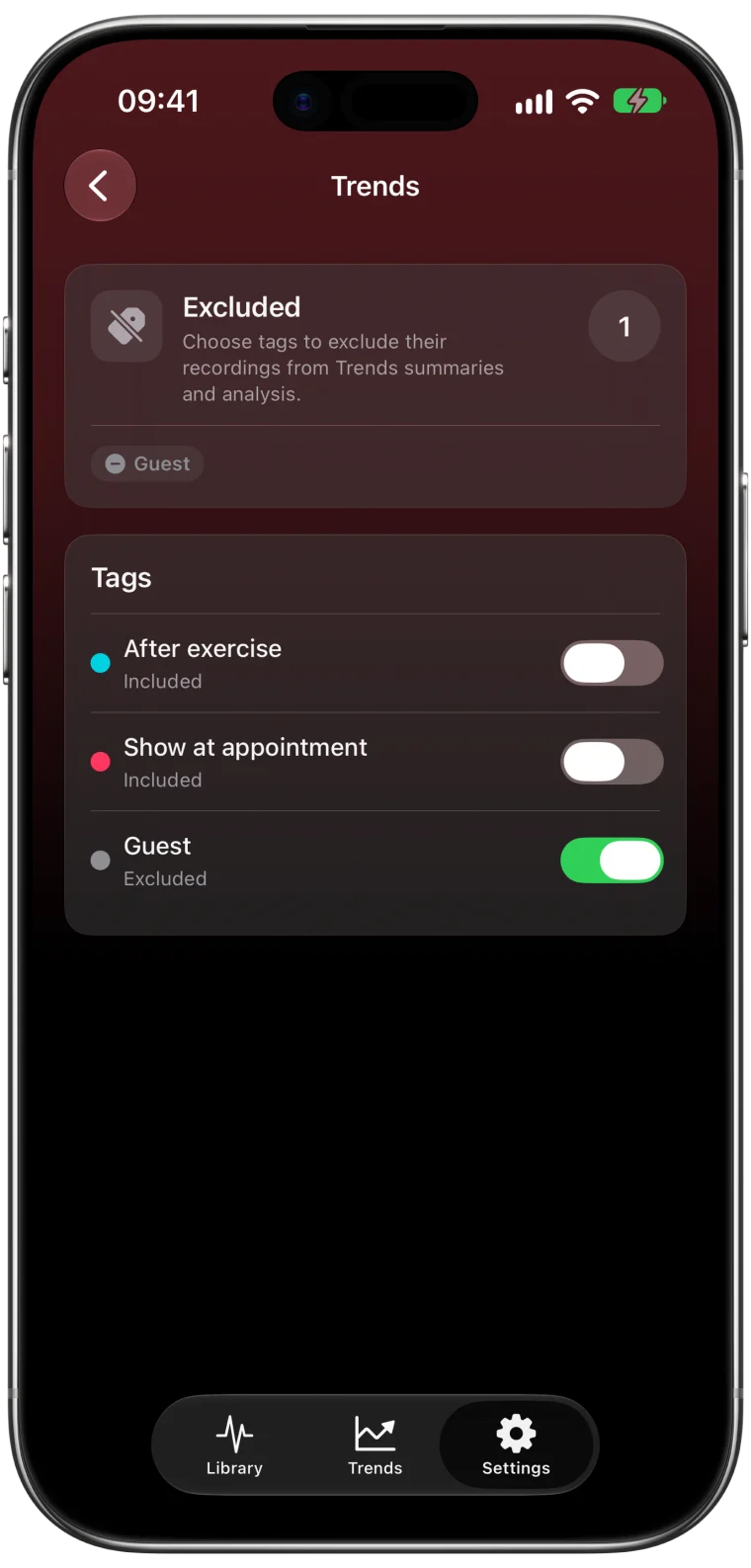
Open Trends again for the affected period to see the difference. If you later tag another recording the same way, it is excluded automatically.
What exclusion does not do
Excluding a tag is about your personal history, not about deleting anything.
- The recording stays in your ECG Tracker+ Library and can still be opened and exported.
- The original ECG stays in Apple Health.
- A Library filter only changes what you see in the list. An excluded tag changes what counts in Trends. They are separate tools.
If you want to remove the original recording from Health, that is a separate decision you make in the Health app. Apple explains how deleting data affects synced copies.1
Sharing someone else's recording
An ECG from a family member is still their health information. Ask before exporting or sharing it, and review the report so it is clear whose recording it is. If they plan to record regularly, it is better for them to use their own Apple Watch with their own Health profile.2
Frequently asked questions
Can ECG Tracker+ tell that an ECG belongs to someone else?
No. A waveform does not identify a person, and the app does not try to guess. Tagging the recording is how you tell the app which ECGs to leave out.
Does excluding a tag delete the ECG?
No. The ECG stays in your Library and in Apple Health. It is only left out of your Trends and personal comparisons.
Can I include the recordings again later?
Yes. Switch the tag back to Included in Settings → Trends and the recordings count again.