You took an ECG on your Apple Watch, the Watch showed a result, and now the recording is nowhere to be found on your phone. It is frustrating, but the cause is almost always simple. The trick is to check in the right order, because each step tells you where the recording stopped.
Step 1: Look for the original ECG in Apple Health
Every Apple Watch ECG is saved to the Health app on your paired iPhone. That is the original record, and every other app reads from it.1
- Open Health on your iPhone.
- Tap Search or Browse, then Heart.
- Tap Electrocardiograms (ECG) and look for the date and time you expect.
If you see the recording here, skip to step 3. If it is missing, the problem sits between the Watch and the phone, not in any app you use to view it.
A heart-rate sample at the same time is a different kind of record. Seeing a heart-rate reading does not mean a full ECG waveform was saved.2
Step 2: If Health has no ECG, check the recording itself
An ECG only reaches Health when the full 30-second recording completes on the Watch. If you lifted your finger early or the Watch showed a message instead of a result, nothing was saved.1
With the Watch nearby, unlock your iPhone and open Health again. Syncing can wait until the phone is unlocked, especially after a restart. If a completed recording still does not appear, Apple Support is the right next step, because no third-party app can recover an ECG that never reached Health.
Avoid drastic fixes such as unpairing the Watch or deleting Health data. They rarely help with a missing recording and can remove information you want to keep.
Step 3: If Health has it, check your ECG Tracker+ Library
When Health has the ECG but ECG Tracker+ does not show it, work through these checks in order.
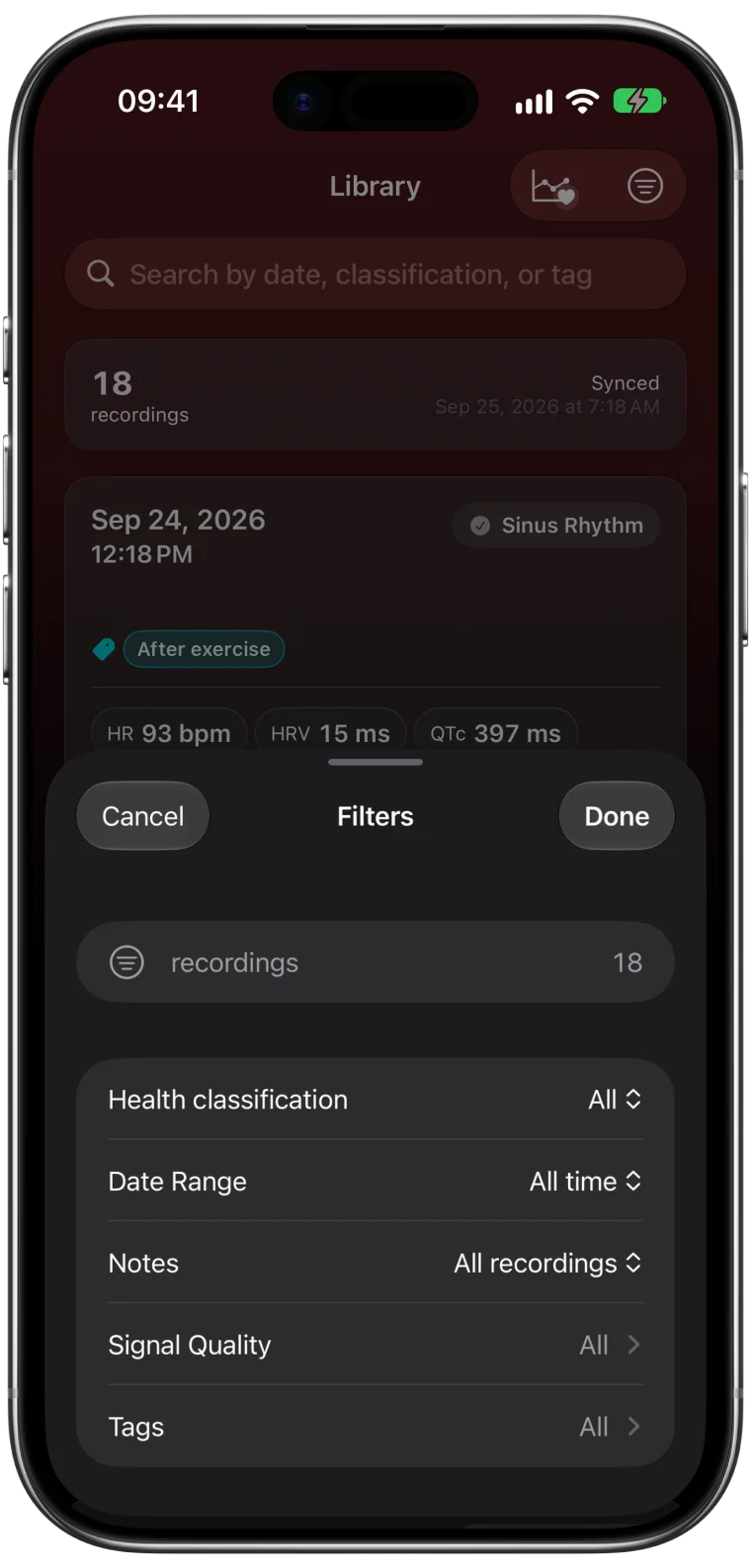
- Clear the search field. A search term left from earlier can hide recordings.
- Clear filters. Tap the filter button in the top-right corner of the Library, then Clear Filters.
- Check the import setting. In Settings → Library, see whether Add new ECGs automatically is on. If it is off, tap Add ECG recordings in the Library, select the missing ECG and tap Add 1 ECG.
- Check Health permission. In the Health app, tap your profile picture, then Apps under Privacy, then ECG Tracker+. Make sure reading Electrocardiograms is allowed.3
Leave the app open while a large import finishes. If an error message appears, note its exact wording before trying anything else. It tells support much more than repeated permission changes do.
Step 4: If the ECG opens but a value is missing
An ECG that opens with its waveform has already been imported. A missing heart rate, HRV or QTc value is a different question with its own answers, from a recording that has not been fully analyzed yet to a stretch that was too noisy to measure. The measurement availability guide walks through each state.
If the ECG shows on your iPhone but not on your Watch, see why results may not update on Apple Watch.
What to send support if it is still missing
A short, specific message gets the fastest answer. Include:
- the app version (in Settings → Help & Legal → About) and your iOS version
- the date and time of the recording
- whether it appears in Health, in the ECG Tracker+ Library, or both
- any exact error text you saw
- the checks you have already tried
Review screenshots for personal information before you attach them.4
If you felt unwell when you took the ECG, do not wait for an app problem to be solved. Contact a healthcare professional, and call emergency services for chest pain, fainting or severe shortness of breath.
Frequently asked questions
Why does my Apple Watch ECG show on the Watch but not on my iPhone?
The recording may not have finished syncing to Health. Keep the Watch nearby, unlock the iPhone and check Health again. If it appears in Health, ECG Tracker+ can import it.
Can ECG Tracker+ see an ECG that is not in Apple Health?
No. The app reads ECGs from Health with your permission. If Health does not have a recording, no app on your iPhone can show it.
Will deleting and reinstalling the app bring the ECG back?
Reinstalling is rarely the fix and can remove local notes and tags. Work through the four steps above first, then contact support with the details listed.